
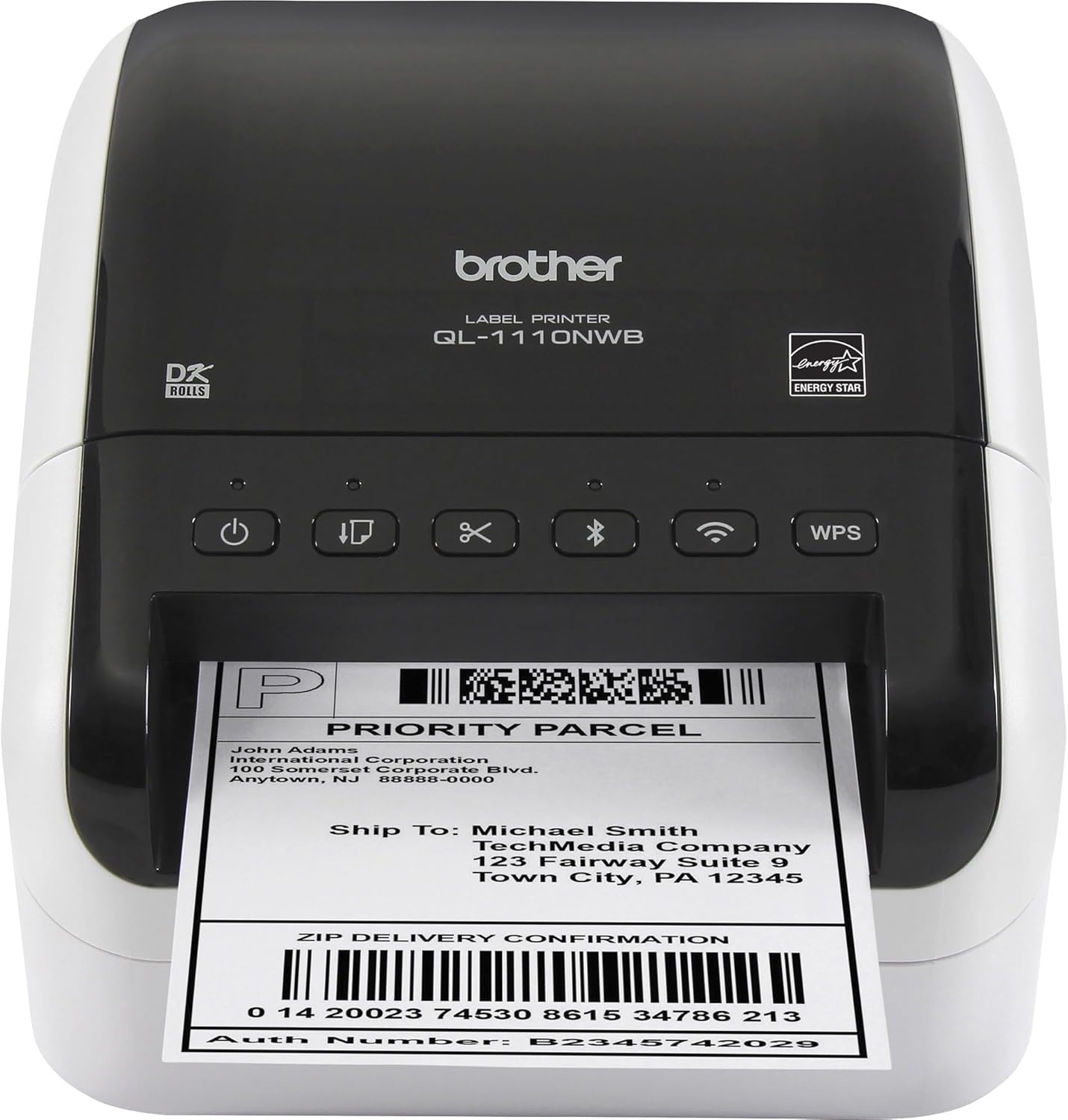
Brother QL-1110NWB Wide Format Label Printer
- Direct thermal printer, black and white output
- 4 inch paper size for wide shipping labels
- 300 x 300 resolution in black and white
- 69 pages per minute black and white speed listed
- Bluetooth, wireless, Ethernet and USB connections
- Android and iOS app control, PC compatible
- 41 shipping labels plus 62mm tape as starter rolls
- 2 year limited warranty
Updated 25 days ago · Based on the Amazon listing and published specifications, not hands-on testing.
A sound choice for a team printing shipping and barcode labels from several devices on one network. Output is black only, and cutter details are missing from the listing.
As an Amazon Associate I earn from qualifying purchases. ProductDome earns a commission when you buy through links on this page.
ASIN: B079G51QT9Model: QL1110NWBCategory: Label Printers
Styles Available
Need a different one? Pick on Amazon →
Overview
A shipping desk or small packing station gets a wide format Brother label printer built for postage and barcode labels. Direct thermal printing marks the label stock, and jobs arrive over Bluetooth, a wireless network, Ethernet or a USB cable.
Connection choice is the strongest argument here: phones, a network and a PC can all send labels to one shared machine. Output stays black only, and the supplied rolls are starter quantities, so plan on ordering more DK rolls early.
Who it's for
Online sellers and small offices that ship parcels daily get one label station several people can reach over the network. Shops wanting color stickers or full sheet document printing should look elsewhere.
Pros and cons
- Bluetooth, wireless, Ethernet and USB connections
- Phone app control on Android and iOS
- Wide labels for postage and parcels
- Starter label and tape rolls included
- Monochrome output only
- Prints only, no scan or copy
- Starter rolls run out quickly
- Cutter details not listed
Performance notes
Print sharpness is set by the thermal head resolution, so small barcodes depend on dot density rather than ink. Real throughput depends on label length and on whether jobs travel over a wireless or a wired link.
Specifications
| Brand | Brother |
|---|---|
| Model | QL1110NWB |
| Dimensions & fit | |
| Paper size | 4 inches |
| Item weight | 3.9 pounds |
| Item dimensions d x W x h | 6.7 × 8.7 × 5.9 inches |
| Capacity & performance | |
| Printer output type | Monochrome |
| Print speed | 69 pages per minute, black and white |
| Compatibility & installation | |
| Printer connectivity type | Bluetooth, Networkable, USB, Wireless |
| Hardware interface | Ethernet, USB |
| Compatible devices | PC, Smartphones |
| Included components | |
| Included software | P-touch Editor software and driver |
| Warranty & support | |
| Warranty description | 2 years |
| Other details | |
| Resolution | 300 x 300 |
| Printer type | Direct Thermal |
| Print media | Labels |
| Control Type | Android, IOS |
| Total USB ports | 1 |
| Number of ethernet ports | 1 |
| Additional printer functions | Print Only |
| Duplex | Simplex |
Frequently asked questions
Is the Brother QL-1110NWB a regular office printer?
No. It is a direct thermal label printer with monochrome, print only output, and its listed print media is labels. It does not copy or scan.
What labels come in the box with the Brother QL-1110NWB?
Two starter rolls: DK-1247 die-cut large shipping labels (41 labels) and DK-2205 continuous length paper tape, 2.4 in (62mm) x 16.4 ft. The box also has P-touch Editor software and driver, an AC power cable and a USB cable.
Can the QL-1110NWB print from a phone?
Yes. The listing gives Android and iOS as controller types with app control, and Bluetooth and wireless among its connections.
What is the difference between the QL-1110NWB and the QL-1100NWB?
The listing names a USB host port as the difference between the two models.