


Metapen M1 Stylus Pen for Surface
- Minimum Required Operating System Version: Windows 10
- Charging Time: 40 minutes
- Battery Average Life Standby: 12 days
- Battery Description: Lithium-Ion Polymer, Lithium-Ion
Last refreshed Sep 7, 2026 · Based on the Amazon listing and published specifications, not hands-on testing.
A smooth writing Surface and Kobo stylus with notably responsive replacement support, though heavy daily note takers should watch tip wear.
As an Amazon Associate I earn from qualifying purchases. ProductDome earns a commission when you buy through links on this page.
ASIN: B0B1CS1XK2Model: ME-MPP712Category: Stylus Pens
Overview
An active stylus built for the Microsoft Surface line, with a cone shaped tip, 1024 pressure levels, palm rejection and a magnetic dock that snaps to the tablet's edge. It also lists compatibility with several Kobo e-readers.
Metapen's pitch is speed of charging: 40 minutes to full, with a 5 minute top up said to cover 80 hours. It explicitly does not work with Surface Laptop Go.
- Cone tip, 1024 pressure levels, MPP1.15 protocol
- Two built in magnets for docking and charging
- 40 minute full charge, up to 300 hour standby
- Compatible with Surface Pro 3 through 11 and select Kobo readers
Who it's for
Surface Pro, Surface Book, Surface Laptop or Studio owners who want an active pen without buying Microsoft's own, and Kobo Libra Colour, Sage or Elipsa owners looking for a cheaper alternative to the OEM stylus. Not for Surface Laptop Go, which uses a different pen protocol.
Pros and cons
- Writes smoothly with no reported lag
- Fast charge, full in about 40 minutes
- Works on several Kobo e-readers, not just Surface
- Does not work with Surface Laptop Go
- One heavy daily user wore through two tips in under three weeks
- Slick barrel felt hard to hold for at least one reviewer
Performance notes
Two magnets dock the pen to the tablet edge for charging and storage. Fast charging is the headline spec: about 40 minutes for a full charge, with a 5 minute charge covering roughly 80 hours of the claimed 300 hour standby.
Specifications
| Brand | metapen |
|---|---|
| Model | ME-MPP712 |
| Dimensions & fit | |
| Item Weight | 0.03 pounds |
| Power & efficiency | |
| Battery Average Life Standby | 12 days |
| Battery Description | Lithium-Ion Polymer, Lithium-Ion |
| Construction & materials | |
| Enclosure Material | Aluminum |
| Color | Classic Black |
| Compatibility & installation | |
| Compatible Devices | Tablets, Laptops |
| Included components | |
| Number of Packs | 1 |
| Unit Count | 1 |
| Other details | |
| Minimum Required Operating System Version | Windows 10 |
| Charging Time | 40 minutes |
| Number of Batteries | 1 |
| Mfr Part Number | ME-MPP712 |
Closest rivals on specs
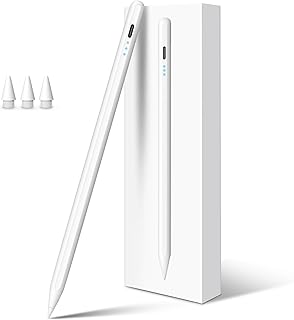 DIGIROOT Palm Rejection Stylus Pen for iPad
- Item Weight 0.03 vs 0.04 pounds (-25%)
- Battery Average Life Standby 12 vs 0.01 days (+119900%)
 JvKzaen AX10-T Stylus Pen for iPad
- Battery Average Life Standby 12 vs 365 days (-97%)
 KEEPRO 723-C USB-C Stylus Pen for iPad
- Item Weight 0.03 vs 0.11 pounds (-73%)
- Battery Average Life Standby 12 vs 90 days (-87%)
Frequently asked questions
Does the Metapen M1 work with the Surface Laptop Go?
No, the listing states it does not work with Surface Laptop Go, which uses a different pen system than Surface Laptop and Surface Go.
How long does the Metapen M1 take to charge?
A full charge takes about 40 minutes, and a 5 minute charge is rated for roughly 80 hours of use.