
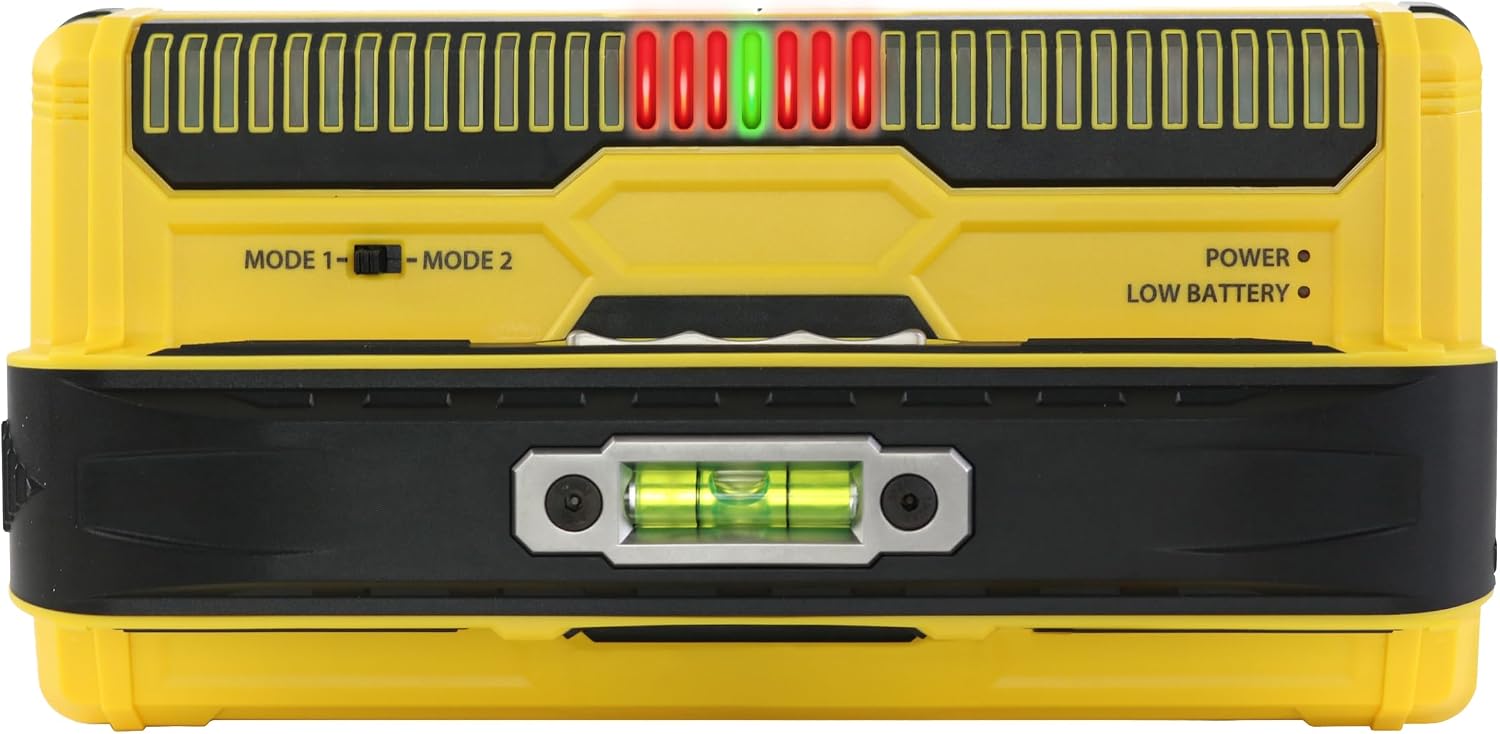
Franklin Sensors ProSensor MAX Stud Finder
- 13 larger sensors for wider, more accurate scans
- 2.5 in max detection depth in deep mode
- 2 detection modes: drywall and deep scan
- Full stud width shown on an LED display, green center LED
- No calibration, start scanning anywhere, even over a stud
- Drywall, plaster, OSB, plywood, MDF, large tile wall types
- 3 V battery powered, 1.1 lb
- Limited lifetime warranty
Last refreshed Sep 7, 2026 · Based on the Amazon listing and published specifications, not hands-on testing.
A strong choice for older homes and layered walls where edge-only finders struggle, since it maps the full stud width. It is bulky for a pocket, and the listing says nothing about live wire detection.
As an Amazon Associate I earn from qualifying purchases. ProductDome earns a commission when you buy through links on this page.
ASIN: B0D3MDJWVCCategory: Stud Finders
Overview
Remodelers working on plaster, OSB or doubled drywall get a wide stud scanner with a row of sensors that lights up the full width of each stud. A switch between a normal drywall mode and a deep mode lets one tool cover thin and thick walls.
Seeing whole studs at once removes the back-and-forth of marking two edges and guessing the middle. Thick walls need the deep mode, the body is large, and nothing in the listing covers wire detection.
Who it's for
Old plaster houses, layered drywall and tiled walls are where the deep mode earns its place. A renter hanging a light frame on standard drywall can get by with a basic finder.
Pros and cons
- Shows full stud width, not just edges
- Green LED marks the stud center
- No calibration step before scanning
- Deep mode reads through thick walls
- Live wire detection not listed
- Large body is awkward in a pocket
- Thick walls need the separate deep mode
Performance notes
Accuracy comes from the many larger sensors reading the wall at once, which lets the display draw the whole stud instead of guessing from one edge. Deep mode extends the reach for layered or dense materials, so choosing the right mode for the wall governs the result. Because it needs no calibration, a reading begins the moment the button is held.
Specifications
| Brand | Franklin Sensors |
|---|---|
| Dimensions & fit | |
| Item Weight | 1.1 pounds |
| Product Dimensions | 9 × 4.5 × 3.1 inches |
| Size | Extra Large |
| Power & efficiency | |
| Power Source | Battery |
| Voltage | 3 volts |
| Construction & materials | |
| Color | Yellow |
| Material | Plastic |
| Included components | |
| Included Components | Stud Finder |
| Item Package Quantity | 1 |
| Warranty & support | |
| Warranty Description | Limited lifetime |
| Other details | |
| Part Number | MAX12 |
| Item Model Number | MAX12 |
Frequently asked questions
Do I need to calibrate the Franklin ProSensor MAX before scanning?
No. Press and hold the button to begin, and you can start anywhere on the wall, even over a stud.
Which ProSensor MAX mode should I use on plaster?
Mode 2 is for deep scanning through thick or tough walls such as plaster. Mode 1 is the normal setting for drywall.
How does the ProSensor MAX show the center of a stud?
The LED display shows the full width of single or double studs, and the middle LED turns green at the stud center.
Does the Franklin ProSensor MAX detect live wires?
The listing does not describe wire detection. It is presented as a stud finder for locating studs through layered walls.