
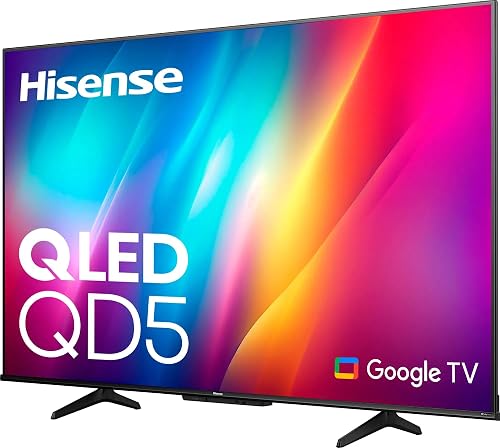
Hisense 50QD5N QD5 Series 50-Inch 4K QLED Google TV
- 50 inch screen, 4K UHD resolution
- QLED Quantum Dot Color, over a billion shades
- Dolby Vision and Dolby Audio built in
- Google TV with a voice remote
- 60 hertz refresh rate, 16:9 aspect ratio
- Game Mode Plus with Variable Refresh Rate and Auto Low Latency Mode
- 3 HDMI ports, plus Bluetooth, Ethernet, Wi-Fi
- 200 x 400 mm VESA, table or wall mount
Last refreshed Aug 4, 2026 · Based on the Amazon listing and published specifications, not hands-on testing.
A smart 4K QLED set for a room where streaming and casual gaming matter more than fast motion. The refresh rate stays at sixty hertz, so serious competitive players should look elsewhere.
As an Amazon Associate I earn from qualifying purchases. ProductDome earns a commission when you buy through links on this page.
ASIN: B0DNNY1TQ4Model: 50QD5NCategory: TVs
Overview
Hisense builds this set around a QLED panel that widens the range of shades on screen, driven by a 4K AI upscaler that sharpens older broadcasts and streaming video into 4K detail. Google TV pulls apps and subscriptions into one menu, and the voice remote handles switching shows and volume by speech. It can sit on its stand feet or hang from a wall bracket.
Buyers who want one screen to gather streaming apps, live TV and a game console will find the software and the picture processing cover those jobs. The limit is motion: the panel refreshes at a fixed rate, so fast action looks less fluid than on sets built for high frame rates. Ports and wireless options are modest but enough for a soundbar, a console and a streaming stick.
Who it's for
Households that want a mid-size 4K QLED set with smart software and voice search built in, and that mostly watch movies, series and broadcast TV. Competitive gamers and anyone chasing the smoothest motion should pass, because the refresh rate does not climb.
Pros and cons
- Quantum dot layer widens color range
- Dolby Vision and Dolby Audio on board
- Google TV organizes apps and subscriptions
- Voice remote controls search and volume
- Refresh rate fixed at sixty hertz
- No USB port count listed
- Stand feet and screws are the only mounting parts included
Performance notes
Picture quality here comes from the quantum dot layer working with the LED backlight, which broadens the shades the panel can show, while the 4K AI upscaler rebuilds detail in lower-resolution sources before they reach the screen. Dolby Vision adjusts brightness scene by scene, and Dolby Audio shapes the built-in speakers for dialogue and surround effects. Game Mode Plus lowers latency and syncs the frame rate for console play.
Specifications
| Brand | Hisense |
|---|---|
| Model | 50QD5N |
| Dimensions & fit | |
| Screen Size | 50 inches |
| Weight | 36 pounds |
| Dimensions | 10.8 × 44.1 × 27.6 inches |
| Dimensions | 10.8 x 44.1 x 27.6 in |
| Construction & materials | |
| Color | Black |
| Compatibility & installation | |
| Connectivity | Bluetooth, Ethernet, HDMI, Wi-Fi |
| Other details | |
| Resolution | 4K |
| Display Tech | QLED |
| Refresh Rate | 60 Hz |
| Brand Tech | Hisense |
| Smart Platform | Google TV |
Frequently asked questions
How do I keep the Hisense 50QD5N running smoothly over time?
Install the software updates the set offers, since Google TV apps depend on current firmware. Wipe the screen with a soft dry cloth rather than sprays, and check the stand screws after moving the TV, because the feet carry the full weight.
Does the Hisense 50QD5N come with a wall bracket?
No. The box holds the power cable, remote control, stand base feet with screws and the user manual. A wall bracket is a separate purchase, and the set uses a 200 x 400 mm VESA pattern.
Can I use the Hisense 50QD5N with a game console?
Yes. Game Mode Plus combines Variable Refresh Rate and Auto Low Latency Mode, and there are three HDMI ports for consoles and players. The panel refreshes at sixty hertz, so the highest frame rates some consoles output are not shown.
What can I control with the voice remote on the Hisense 50QD5N?
The remote handles voice control, so you can switch shows, change the volume and search for content by speaking. It works through the Google TV interface that gathers apps and subscriptions in one place.