
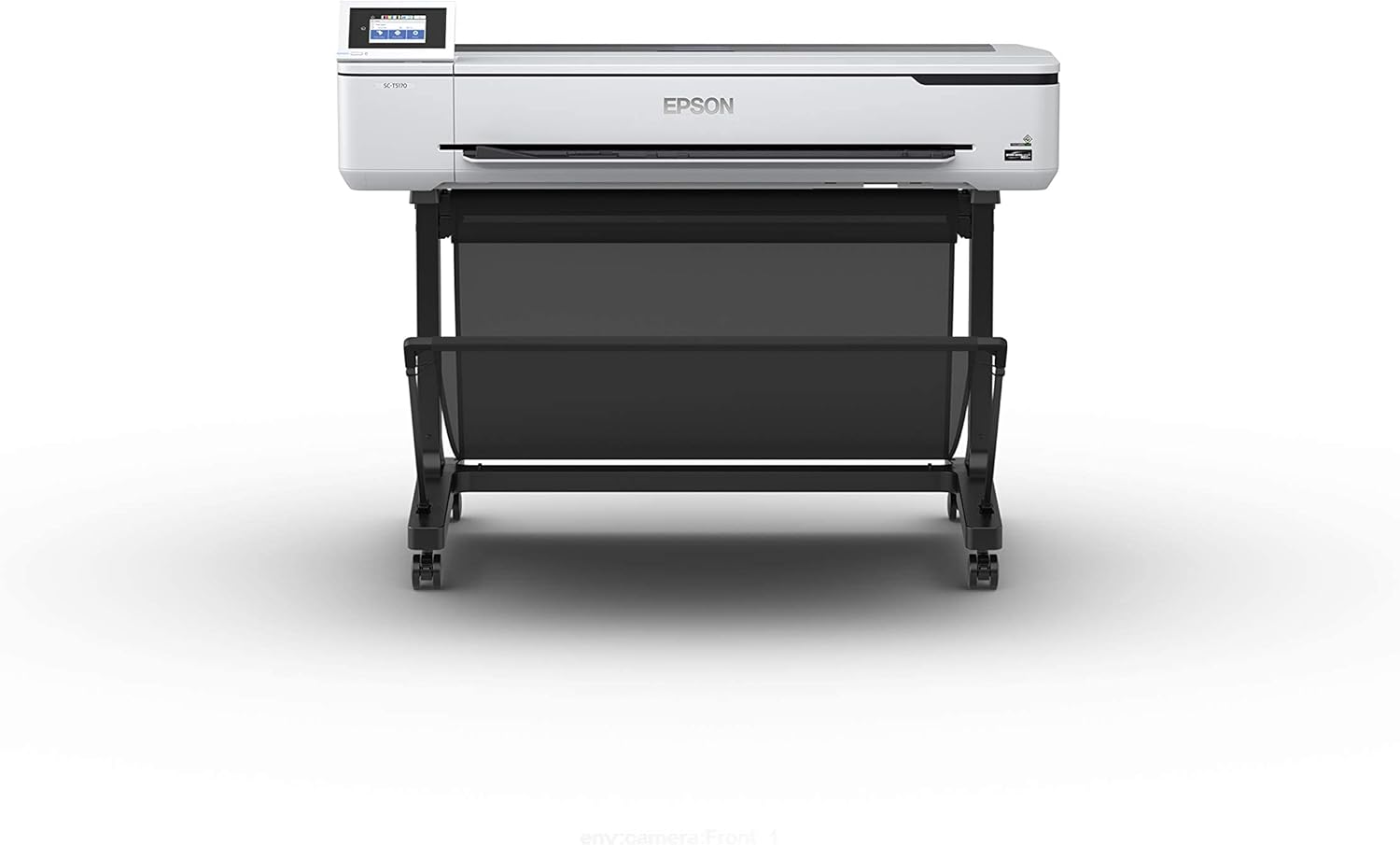
Epson SureColor T5170 36" Wide Format Printer
- 36 inch wide format, roll or Auto Sheet Feeder
- A1/D-size print in 31 seconds, print engine speed
- UltraChrome XD2 pigment ink, four colors
- Up to 50 mL color and 80 mL black cartridges
- 4.3 inch color touchscreen
- Wi-Fi, Wi-Fi Direct and USB
- 2880 x 1440 dpi maximum color resolution
- Printer stand included, floor-standing
Updated 25 days ago · Based on the Amazon listing and published specifications, not hands-on testing.
A floor-standing wide format printer for offices that print blueprints, line drawings and posters in house. It is a large, heavy machine that only takes genuine Epson cartridges.
As an Amazon Associate I earn from qualifying purchases. ProductDome earns a commission when you buy through links on this page.
ASIN: B07HNYPKFNModel: SureColor T5170Category: Inkjet Printers
Styles Available
Need a different one? Pick on Amazon →
Overview
A pigment inkjet head paired with a roll feed and an Auto Sheet Feeder lets this Epson SureColor print blueprints, line drawings and posters up to the full roll width. Jobs are set up on a color touchscreen and sent over Wi-Fi, Wi-Fi Direct or USB.
Fast large drawings and wireless printing from tablets and phones make it a practical in-house plotter for design and architecture offices. Ink must be genuine Epson, and the machine needs real floor space plus a stand.
Who it's for
Studios that send drawings out to a print shop several times a week can bring that work in house with it. People with only standard page sizes to print will pay in floor space for width they never use.
Pros and cons
- Prints from roll or sheet feeder
- Pigment ink for durable prints
- Higher capacity ink cartridges
- Wireless printing from phones and tablets
- Genuine Epson cartridges only
- Large and heavy floor footprint
- Speed figure excludes data processing time
- Spec sheet lists conflicting media sizes
Performance notes
Print time depends on more than the engine: file size, resolution, ink coverage and the network all add to total throughput, as Epson's own footnote states. Pigment inks dry on top of the paper, which gives durable lines on plain media. The higher capacity cartridges mean fewer swaps during long plan sets, though part of the first set goes to priming.
Specifications
| Brand | Epson |
|---|---|
| Model | SureColor T5170 |
| Dimensions & fit | |
| Maximum media size | 36 inches |
| Item dimensions d x W x h | 28 x 50 x 36 inches |
| Item weight | 101 pounds |
| Construction & materials | |
| Ink color | Cyan, magenta, yellow, black |
| Maximum print resolution color | 2880 x 1440 dpi |
| Compatibility & installation | |
| Compatible devices | Smartphones, tablets |
| Printer connectivity type | USB, Wi-Fi, Wi-Fi Direct |
| Compatible cartridge | Genuine Epson, up to 50 mL color and 80 mL black |
| Warranty & support | |
| Warranty description | Standard 1-year limited warranty |
| Other details | |
| Control Type | 4.3 inch color touchscreen |
| Printer type | Inkjet, wide format |
| Initial page print time | 31 seconds for A1/D-size |
| Print media | Plain paper, roll or sheet |
| Display type | LCD |
| Builtin media | Printer, printer stand, initial ink cartridges (CMYK, 50 mL), Start Here poster, user guide |
Frequently asked questions
How much floor space does the Epson SureColor T5170 need?
The listed dimensions are 28 x 50 x 36 inches and the weight is 101 pounds. Epson notes its small footprint figure excludes the stand, which is included.
Can the SureColor T5170 use third party ink?
No. Epson states it uses only genuine Epson-brand cartridges and that other brands may not function properly.
Does the Epson T5170 print from a roll?
Yes. It prints from a roll or from the Auto Sheet Feeder.
Can I print to the SureColor T5170 from a phone?
Yes. It has integrated wireless and Wi-Fi Direct for printing from tablets and smartphones. Epson notes most features need an Internet connection.
Is the A1 print time the full job time?
No. Epson says the 31 second figure is print engine speed only, and total time depends on file size, resolution, ink coverage and networking.