
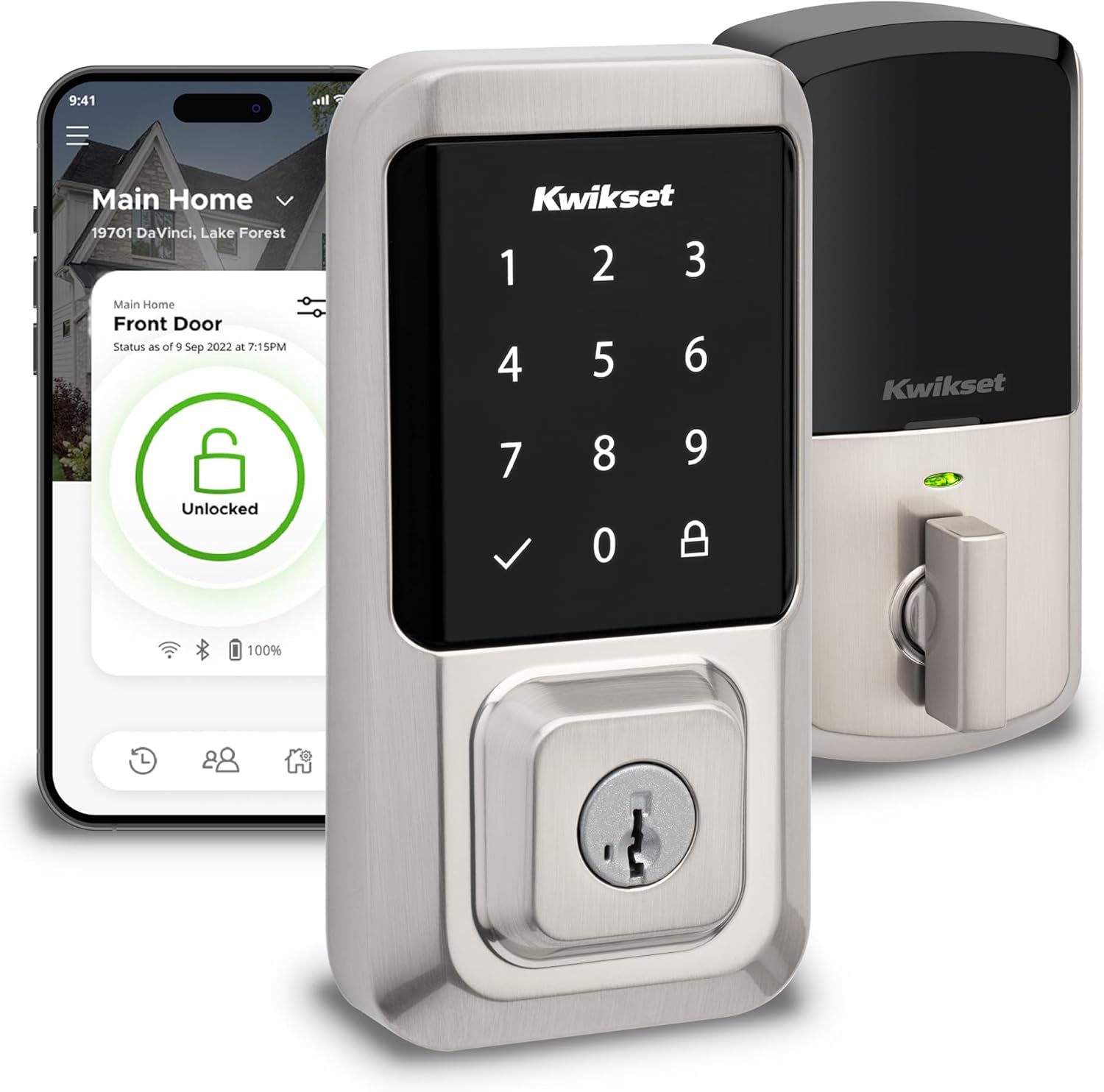
Kwikset Halo Wi-Fi Touchscreen Smart Lock
- Built-in Wi-Fi, no hub required
- Up to 250 access codes, backlit touchscreen
- 1-3/8 to 1-3/4 inch thick doors
- 2-1/8 to 2-3/4 inch backset, adjustable
- Grade AAA certified per the listing title
- Alexa and Google Home voice control
- Lifetime mechanical and finish warranty, 1 year on electronics
- Geofence auto-unlock plus timed auto-lock
Last refreshed Sep 7, 2026 · Based on the Amazon listing and published specifications, not hands-on testing.
A sound choice for a front door owner who wants app control, guest codes and phone-based unlocking without buying a hub. Remote features rely on home Wi-Fi, and battery details are missing from the listing.
As an Amazon Associate I earn from qualifying purchases. ProductDome earns a commission when you buy through links on this page.
ASIN: B081FYNZ7BCategory: Deadbolts
Overview
Kwikset Halo Touchscreen swaps a standard deadbolt for a lock that connects straight to home Wi-Fi and answers to the Kwikset app, a code on its lit keypad, or the phone's location. Setup follows guided steps and needs only a screwdriver.
Skipping the hub is what sets it apart: the lock talks to the router directly, so remote locking, guest codes and the activity log work from the app anywhere. The weak spot is power, since the listing gives no battery type or expected life for a lock that stays on Wi-Fi.
Who it's for
Families handing out temporary codes and owners who forget to lock up get alerts and auto-lock from one app. People who distrust connected locks, or whose router signal fades at the door, should choose a keyed deadbolt.
Pros and cons
- No hub needed for remote control
- Guest codes shared from the app
- Auto-locks after a set delay
- Alerts on invalid codes and tampering
- Remote features depend on home Wi-Fi
- Electronics warranty far shorter than mechanical
- Battery type and life not listed
- Apple Home absent from named platforms
Performance notes
Every remote command travels over the home network, so response depends on Wi-Fi strength at the door. Geofencing reads the phone's location to unlock on arrival, which works only when location access is on. The bolt itself is mechanical, and the adjustable backset decides whether it lines up with the existing bore.
Specifications
| Brand | Kwikset |
|---|---|
| Dimensions & fit | |
| Item Weight | 1 pound |
| Item Dimensions | 4 × 4.2 × 9.7 inches |
| Construction & materials | |
| Material Type | Metal |
| Finish Types | Brushed |
| Color | Satin Nickel |
| Compatibility & installation | |
| Connectivity Protocol | Wi-Fi |
| Included components | |
| Number Of Pieces | 1 |
| Unit Count | 1 |
| Number Of Packs | 1 |
| Included Components | Interior Assembly, Exterior Assembly, Latch, Strike, Installation Hardware, 4 AA Batteries, Battery Pack, SmartKey Tool, 2 Keys, Mounting Plate, Adapter Ring, Installation Instructions |
| Warranty & support | |
| Manufacturer Warranty Description | Lifetime Mechanical-Finish, 1 Year Electronics |
| Other details | |
| Lock Type | Keypad |
| Shape | Rectangular |
| Control Type | Voice |
| Number Of Items | 1 |
| Additional Features | Auto-Lock, One-Touch Lock, Passcode Unlock, Touchscreen, Weather Resistant |
| Style Name | Touchscreen |
| Recommended Uses For Product | Security |
| Item Type Name | Halo Wi-Fi Smart Lock Keyless Entry Electronic Touchscreen Deadbolt Featuring SmartKey Security |
| Controller Type | Amazon Alexa, Google Assistant, Vera |
Frequently asked questions
How do I change the auto-lock delay on the Kwikset Halo Touchscreen?
The listing says you set the duration in the Kwikset app, choosing how long after entry or exit the door locks itself.
Does the Kwikset Halo Touchscreen need a hub?
No. Wi-Fi is built in, so it connects to the home network directly.
What alerts does the Kwikset Halo send?
The app notifies you of unusual activity, including wrong code attempts and lock tampering.