
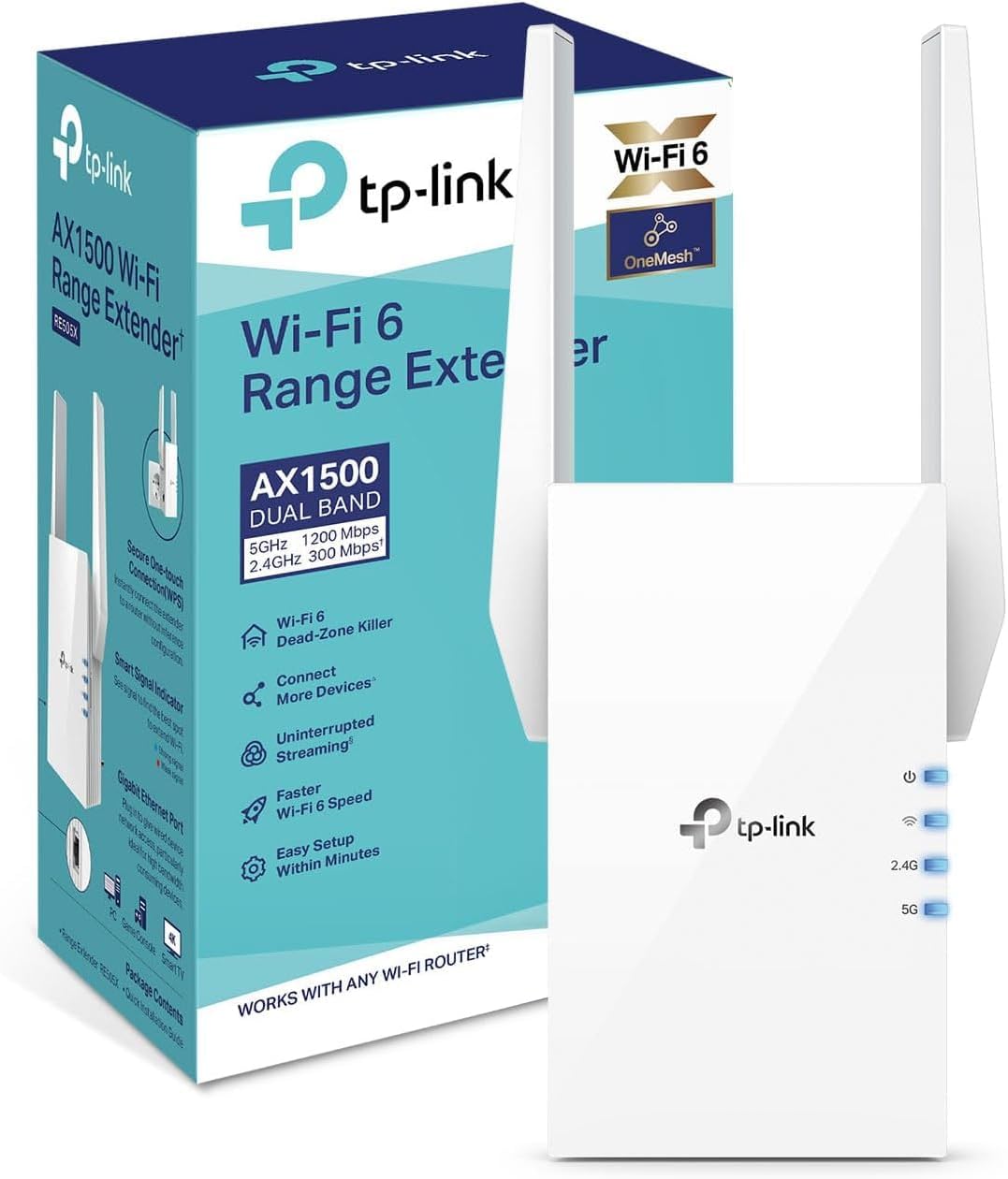
TP-Link RE505X AX1500 WiFi 6 Extender
- WiFi 6 (802.11ax), also 802.11ac/n/g/b
- Dual band, 2.4 GHz and 5 GHz
- Up to 1500 Mbps maximum signal rate
- 1500 sq ft coverage listed
- 1 gigabit Ethernet port (RJ45)
- Access point mode from a wired connection
- 2 external antennas
- OneMesh compatible, Tether app setup
Updated 25 days ago · Based on the Amazon listing and published specifications, not hands-on testing.
A sensible way to stretch a home WiFi signal into dead zones, with a wired port that doubles as an access point. Real speed and coverage depend on walls, traffic and the router feeding it.
As an Amazon Associate I earn from qualifying purchases. ProductDome earns a commission when you buy through links on this page.
ASIN: B088H2FCHLModel: RE505XCategory: WiFi Range Extenders
Overview
Not a replacement router, the TP-Link extender links wirelessly to your existing router and rebroadcasts its signal on both bands. Run an Ethernet cable into its port and it turns that wired connection into a new dual band wireless network in access point mode.
Reaching a bedroom or back office the router misses, without rewiring, is why to buy it, and the wired port adds a second way to use it. TP-Link notes that throughput and coverage vary with building materials, obstacles and traffic, so the headline rate is a ceiling, not a promise.
Who it's for
Homes where the router covers most rooms but leaves a dead spot are its target, and a spare Ethernet drop can turn it into an access point. Households expecting the headline speed everywhere, or wanting a cable in the box, should look elsewhere.
Pros and cons
- WiFi 6 support on both bands
- Gigabit Ethernet port for a wired device
- Access point mode turns wired into wireless
- Two external antennas
- Real throughput varies with walls and traffic
- Ethernet cable not listed in the box
- Single wired port only
- Placement must still reach the router's signal
Performance notes
As an extender it receives the router's signal and repeats it, so its output can only be as good as the signal reaching the spot where it is placed. Building materials, obstacles and the number of busy devices cut into the usable rate, which TP-Link states plainly. In access point mode a wired link feeds it instead, removing the wireless hop to the router.
Specifications
| Brand | TP-Link |
|---|---|
| Model | RE505X |
| Dimensions & fit | |
| Item weight | 0.93 pounds |
| Item Dimensions D x W x H | 2.9 × 8 × 4.9 inches |
| Capacity & performance | |
| Range | 1500 square feet |
| Compatibility & installation | |
| Compatible Devices | Router |
| Mesh compatibility | OneMesh |
| Warranty & support | |
| Frequency Bands Supported | 2.4 GHz |
| Warranty Description | 2 Years |
| Other details | |
| Data Transfer Rate | Up To 1500 Mbps |
| Connector Type | RJ45 Gigabit Ethernet |
| Frequency Band Class | Dual-Band |
| BuiltIn Media | Range Extender, Quick Installation Guide |
| Antennas | 2 external |
| Operating modes | Range extender, access point |
| Setup | TP-Link Tether app (Android, iOS) |
Frequently asked questions
What comes in the box with the TP-Link RE505X?
The listing names the RE505X extender and a quick installation guide. No Ethernet cable is listed, so bring one if you plan to use the wired port.
Is the TP-Link RE505X a router?
No. It connects to your existing router and boosts its signal, or works as an access point when fed by Ethernet. You still need a router.
Will I get 1500 Mbps from the RE505X?
That figure is a maximum physical signal rate from the IEEE 802.11 specifications. TP-Link states that actual throughput, coverage and number of connected devices vary with network conditions, building materials, obstacles and client location.
Can I set up the RE505X from my phone?
Yes, through the TP-Link Tether app on Android or iOS, which also manages TP-Link routers and range extenders.