 Best Overall
WiFi Range Extenders
TP-Link RE550 AC1900 WiFi Range Extender
- Data Transfer Rate
- 1900 Mbps
- Wireless Compability
- 802.11a, 802.11ac, 802.11b, 802.11g, 802.11n
- Frequency Bands Supported
- 2.4 GHz
- Warranty Description
- 2 Years
 USUnited States
As an Amazon Associate I earn from qualifying purchases. ProductDome earns a commission when you buy through links on this page.
Best OverallBest Overall Popular Pick
Extends a router's WiFi into the dead corners of an apartment, condo or small home and joins EasyMesh networks; the single wired port is slow, so it suits light wired use.
Popular PickExtends a router's WiFi into the dead corners of an apartment, condo or small home and joins EasyMesh networks; the single wired port is slow, so it suits light wired use.

A small dual band extender that stretches an existing router's signal into weak rooms and supports mesh. Real speeds depend heavily on placement and building materials, as the listing itself warns.
A small dual band extender that stretches an existing router's signal into weak rooms and supports mesh. Real speeds depend heavily on placement and building materials, as the listing itself warns.


A simple, compact way to push WiFi into a few weak rooms using the router you already have. It repeats the signal instead of forming a mesh, so far-end speed depends on placement.

A wall plug extender that reuses your existing network name and adds a gigabit port for a console or TV in a far room. Mesh roaming features need a firmware upgrade and factory reset first.

A dual-band extender that pushes WiFi into dead zones and adds a wired port where you need it, with EasyMesh for compatible routers. It improves coverage, not top speed, and it will not join a Deco mesh.
A dual-band extender that pushes WiFi into dead zones and adds a wired port where you need it, with EasyMesh for compatible routers. It improves coverage, not top speed, and it will not join a Deco mesh.


A simple wall-plug extender for pushing Wi-Fi into dead spots, with a signal light that guides placement. Real speeds depend heavily on walls and distance.
A simple wall-plug extender for pushing Wi-Fi into dead spots, with a signal light that guides placement. Real speeds depend heavily on walls and distance.
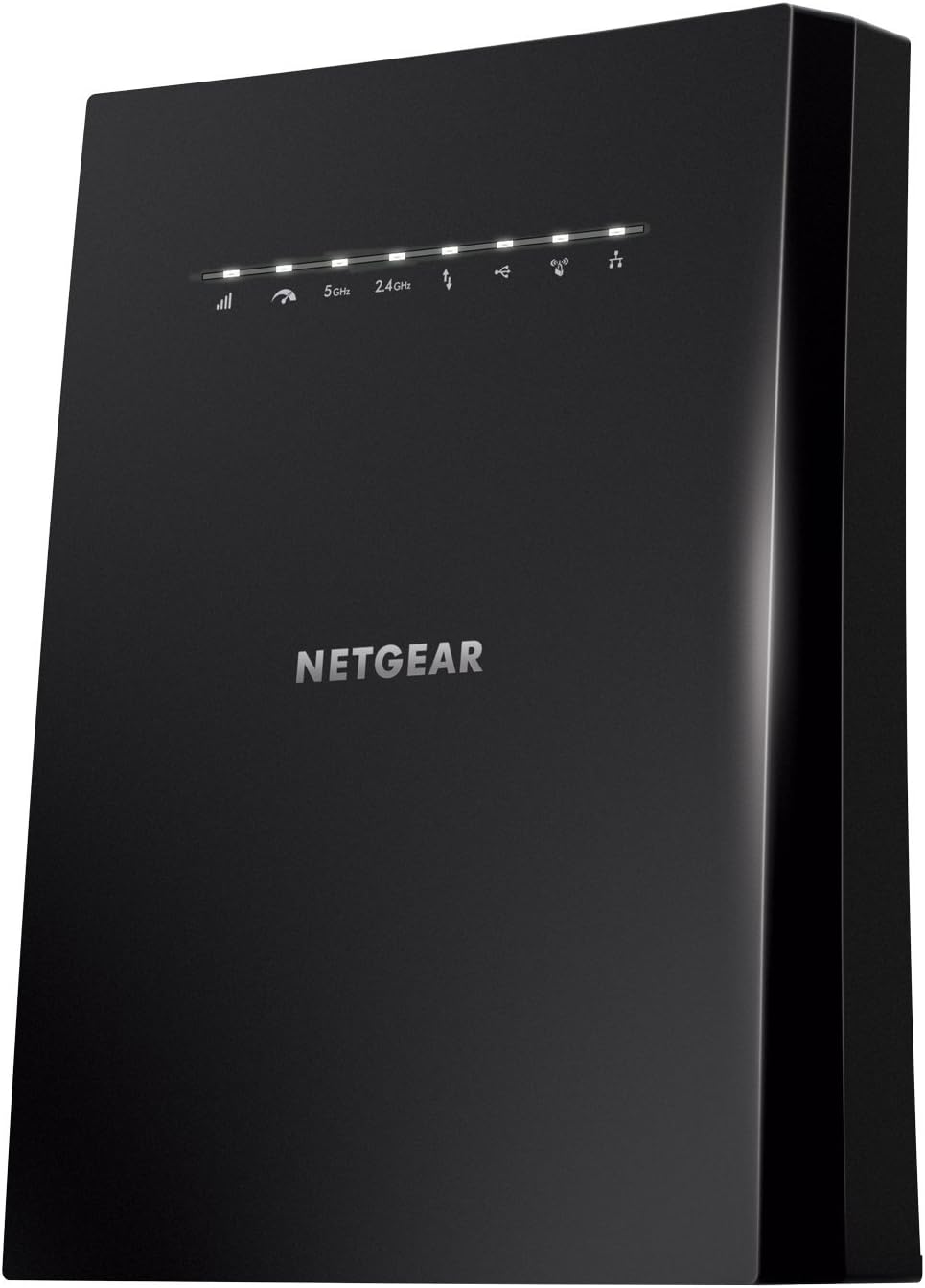
A tri-band extender with a dedicated backhaul link and four gigabit ports that adds strong coverage using your existing network name. It is large, so it stands on a shelf rather than plugging into a wall.

A desktop extender with a row of Ethernet ports that boosts WiFi and wires up an entertainment center far from the router. It is bulkier than plug-in extenders.

A plug-in WiFi extender that fills dead zones and reuses the same network name, with an Ethernet port for a wired device. It extends coverage, not your internet speed.

A compact wall outlet extender that pushes your current router's signal into a weak room without replacing anything. Placement matters, since it can only repeat the signal that reaches it.

A small wall-plug extender that pushes Wi-Fi into a dead zone and adds one wired port. The Ethernet port is limited to fast Ethernet speeds and security stops at older protocols.

A plug-in extender that pushes an existing WiFi network into a weak room under the same network name. Speed through an extender drops with distance from the router.

A powerful tri-band extender that pushes coverage into dead zones and adds a wired port for a TV or console. Like any extender it improves reach, not top speed.
A powerful tri-band extender that pushes coverage into dead zones and adds a wired port for a TV or console. Like any extender it improves reach, not top speed.

A straightforward way to push dual band Wi-Fi into rooms the router misses, with a wired port as a bonus. As a repeater it relays the router's signal, so speed at the far end depends on where it is plugged in.
As an Amazon Associate I earn from qualifying purchases.
TP-Link RE550 AC1900 WiFi Range ExtenderModel RE550TP-Link RE550 AC1900 WiFi Range ExtenderModel RE550TP-Link RE315 AC1200 WiFi ExtenderModel RE315TP-Link RE315 AC1200 WiFi ExtenderModel RE315TP-Link RE220 Dual Band WiFi ExtenderModel RE220TP-Link RE220 Dual Band WiFi ExtenderModel RE220NETGEAR Wi-Fi Range Extender EX2700Model EX2700NETGEAR EX5000 WiFi Range ExtenderModel EX5000NETGEAR EX7300 AC2200 Mesh Range ExtenderModel EX7300TP-Link RE615X AX1800 WiFi 6 Range ExtenderModel RE615XThese 10 wifi range extenders have the highest ProductDome scores among the established products in this category, meaning ones with a large volume of owner ratings and strong evidence; on a tie, the product with more rating evidence ranks first. The score combines owner satisfaction, rating volume, demand and data quality from public Amazon listings (updated 3 days ago). We do not test products ourselves.
TP-Link, NETGEAR, Linksys, Vonets, ASUS lead this category among the 12 brands that passed our curation checks.
A listing appears only when it has a recorded price, a minimum customer rating, and enough ratings or monthly sales. Generic and unbranded listings are left out, while every real brand stays, including brands sold only on Amazon. The ones that pass are ordered by the ProductDome score, which weighs owner satisfaction, rating volume, demand and data quality.
WiFi range extenders come as wall-plug units and separate desktop units: wall-plug designs sit directly at a socket, while desktop designs give you some placement freedom within their power lead’s reach. Your first decision is how the extender will connect to your router: wirelessly from somewhere that receives a usable signal, or through a network cable if the extender supports access point mode and you can run that cable.
For a wireless connection, identify a position between the router and the weak-coverage area where the router’s signal remains usable. Putting an extender inside the dead spot can leave it with too little signal to relay. A supported wired connection removes dependence on that wireless link, making it useful when thick walls obstruct the route. Among the 29 products that list data transfer rate, most fall between 300 and 3,114 mbps, and 1,200 mbps is typical. Advertised transfer rates cannot predict download speed; actual throughput depends on the router connection, interference, connected devices and your internet service. For simultaneous video calls or streaming, compare the manual’s description of how the extender handles traffic between the router and connected devices against your expected use.
Decide whether your devices will stay in the extended area or move between rooms. For moving phones and laptops, look for explicit support for coordinated roaming with your router, including any requirements for joining its mesh system. Sharing a network name alone does not provide coordinated handoffs, and the client device also affects switching. For a television or computer that needs a cable connection, look for a network port that supports connecting wired devices, since port functions vary by operating mode. If visitors need internet access, establish whether the extender preserves the router’s guest-network isolation or provides a supported guest arrangement of its own.
Before buying, confirm compatibility with your router’s wireless settings and security mode in the manual. For a wall-plug unit, compare its body and antenna clearance with the space around the intended socket, especially beside another occupied outlet. Setup may require a phone app or account, so read the installation steps to establish whether you can complete them with your available devices. Any required network cable or power adapter should be identified as supplied or sold separately. Check whether the extender provides a documented way to install firmware updates.
How we list products: every listing here has a recorded price, a minimum customer rating and enough ratings or monthly sales. Generic and unbranded listings are left out; every real brand stays, including brands sold only on Amazon. Products are ordered by the same ProductDome score on every page.Editorial policy