
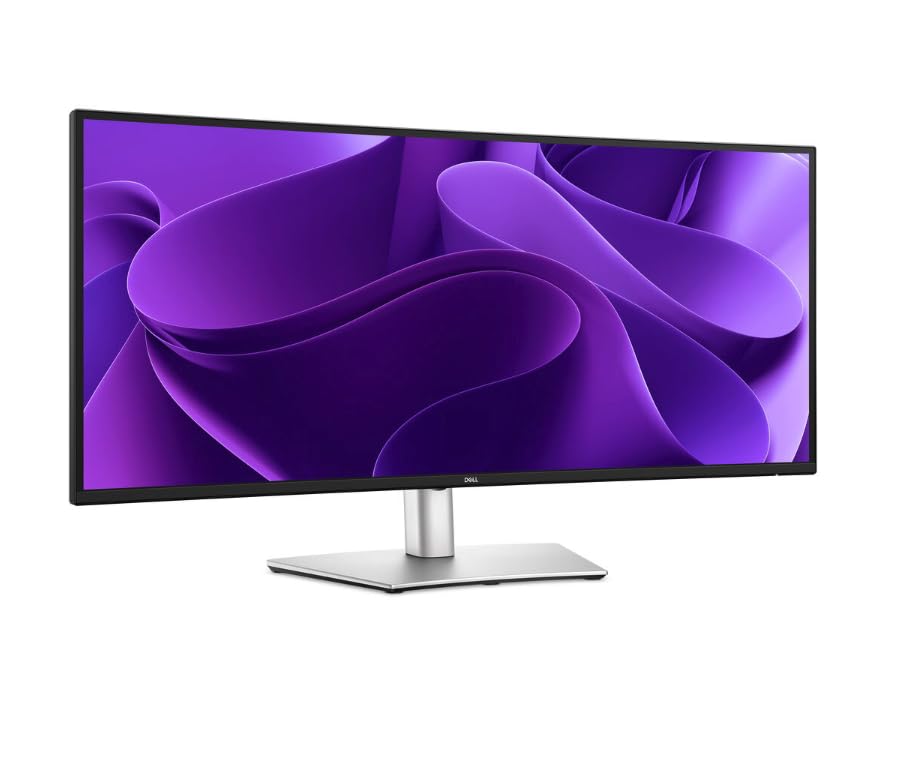
Dell Pro 34 Plus P3425WE USB-C Hub Monitor
- 34 inch curved ultrawide, 3440 x 1440 IPS
- 100Hz refresh, 5 ms response, FreeSync
- USB-C with up to 90 W power delivery, Ethernet and data
- RJ45, HDMI and DisplayPort, built-in USB hub
- Front pop-out USB-C with up to 15W charging, plus USB-A
- 99% sRGB, 1.07 billion colors
- Blue light at or below 35%, matte anti-glare screen
- Height and swivel adjustment, 3 year warranty
Updated 25 days ago · Based on the Amazon listing and published specifications, not hands-on testing.
An office ultrawide that turns a laptop into a full desk setup through one USB-C cable carrying power, network and data. The refresh rate suits work more than fast gaming, and the spec table contains errors worth ignoring.
As an Amazon Associate I earn from qualifying purchases. ProductDome earns a commission when you buy through links on this page.
ASIN: B0FMRMMPQHModel: P3425WECategory: Computer Monitors
Overview
A single USB-C cable does the work on this Dell Pro ultrawide, carrying power, Ethernet and data from a laptop to a curved IPS screen. A built-in USB hub and Ethernet port turn it into a docking point, and pop-out front ports put a phone or drive within reach.
Buy it to clear a desk of docks and chargers: one cable from a laptop handles charging, networking and the hub, while the wide curved screen holds several windows at once. The refresh rate and response time are tuned for office work, not competitive play.
Who it's for
Office workers, analysts and hybrid employees who dock a laptop every morning get the most from the single cable hub. Esports players chasing fast motion should look at a gaming panel.
Pros and cons
- One cable for power, network and data
- Built-in Ethernet and USB hub
- Front pop-out USB ports
- Wide curved screen for multitasking
- Refresh rate modest for gaming
- Spec table lists wrong screen size and aspect
- Single HDMI input
Performance notes
Docking runs through USB-C, which carries the display signal, charging power and Ethernet over one link to the laptop. The IPS panel holds color steady across wide viewing angles, and the higher refresh smooths scrolling in long documents and spreadsheets.
Specifications
| Brand | Dell |
|---|---|
| Model | P3425WE |
| Dimensions & fit | |
| Screen size | 34 inches |
| Item weight | 15.2 pounds |
| Item Dimensions D x W x H | 9.03 x 32.12 x 21.31 inches |
| Power & efficiency | |
| Power Consumption | 200 watts |
| USB c power delivery | Up to 90 W |
| Construction & materials | |
| Color Gamut | 99% sRGB, 1.07 billion colors |
| Screen Finish | Matte, anti-glare |
| Warranty & support | |
| Warranty Description | 3 year manufacturer |
| Other details | |
| Native Resolution | 3440 x 1440 |
| Refresh Rate | 100 Hz |
| Response Time | 5 ms |
| Brightness | 350 |
| Display Technology | IPS |
| Adaptive Sync | FreeSync |
| Contrast Ratio | 1500:1 |
| Shape | Curved |
| Total Number of HDMI Ports | 1 |
| Viewing Angle | 178 degrees |
| Total USB ports | 6 |
| Eye care | Blue light emissions at or below 35% |
| Ports | USB-C, HDMI, DisplayPort, RJ45, USB Type-A, USB Type-B |
| Stand adjustment | Height, swivel |
| Front ports | Pop-out USB-C up to 15W, USB Type-A |
Frequently asked questions
How much desk space does the Dell Pro 34 Plus P3425WE need?
The listing gives 9.03 x 32.12 x 21.31 inches and 15.2 pounds. The spec table's 16 inch screen size is an error; the description gives 34 inches.
Can the Dell P3425WE charge a laptop?
Yes. Its USB-C connection delivers up to 90 W along with Ethernet and data, so one cable can run a laptop.
Is the Dell P3425WE built for gaming?
It runs at 100Hz with a 5 ms response and FreeSync, which is smooth for work and casual play, but it is an office monitor, not a fast competitive panel.
Does the Dell P3425WE have a wired network port?
Yes. An RJ45 port passes Ethernet to a laptop over the USB-C connection.