
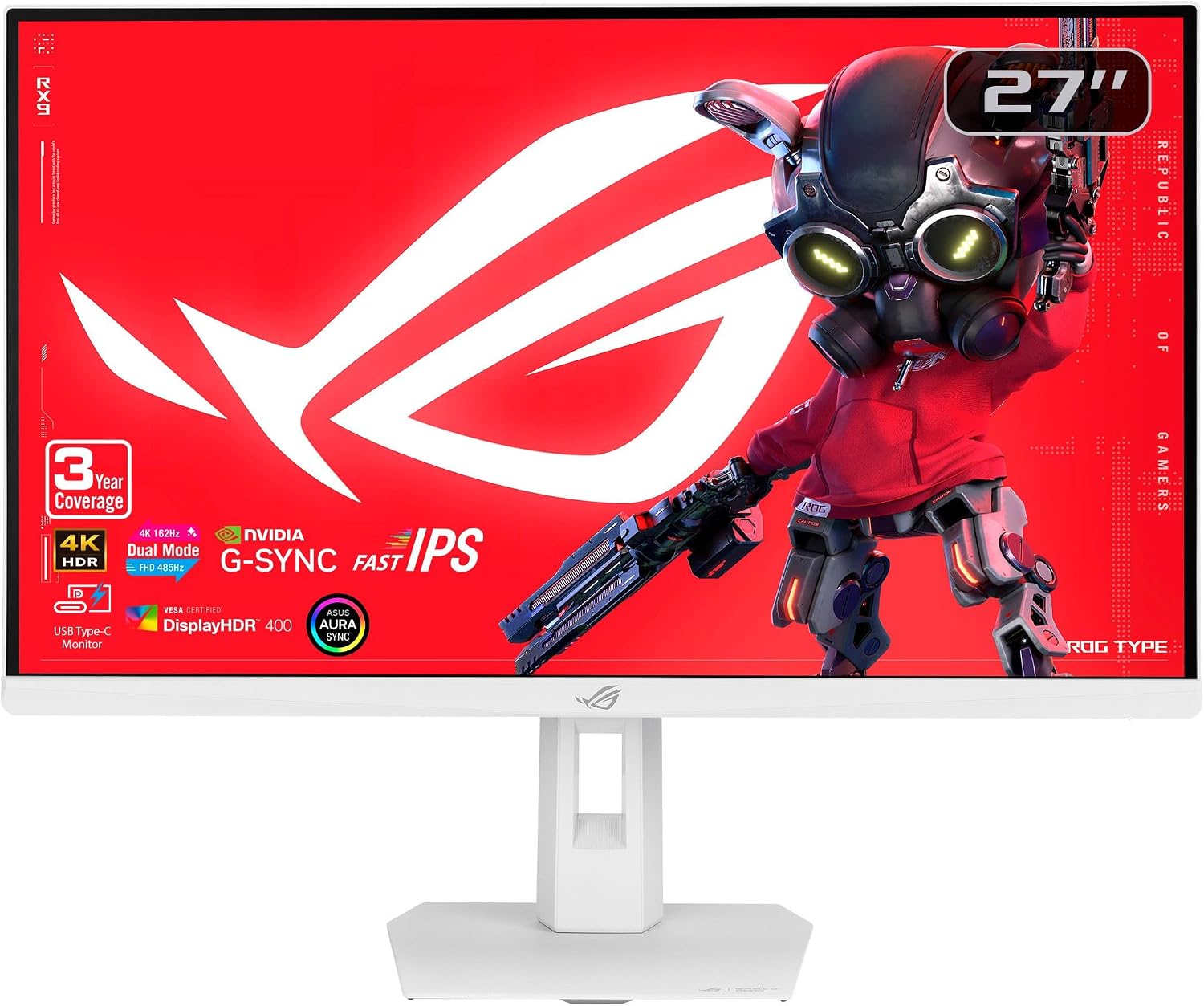
ASUS ROG XG27UCGR 27" 4K Gaming Monitor
- 27 inch 4K, 3840 x 2160
- Dual mode: 4K at 162 Hz or FHD at 485 Hz
- 0.3ms response, Fast IPS
- ELMB Sync, G-Sync Compatible, FreeSync Premium
- 95% DCI-P3, DisplayHDR 400
- USB Type-C with DP Alt mode
- Tilt, swivel, pivot, 0 to 110mm height
- 3 year warranty with advance replacement
Updated 25 days ago · Based on the Amazon listing and published specifications, not hands-on testing.
A white ultra HD gaming monitor that switches to a very fast Full HD mode for esports, with ELMB Sync and a fully adjustable stand. USB-C power delivery is not listed, and the HDR tier is entry level.
As an Amazon Associate I earn from qualifying purchases. ProductDome earns a commission when you buy through links on this page.
ASIN: B0G31RL8YNModel: XG27UCGRCategory: Computer Monitors
Overview
ASUS built this ROG Strix monitor around a Fast IPS panel with a dual mode hotkey that switches between sharp ultra HD and a very fast Full HD esports mode. ELMB Sync pairs motion blur reduction with variable refresh for clear, tear free motion.
Choose it for one screen that handles detailed ultra HD play and high speed competitive matches. The USB-C port carries video through DP Alt mode, but power delivery is not mentioned.
Who it's for
Competitive and single player gamers who switch between titles get both resolution and speed. HDR enthusiasts should look for a higher DisplayHDR tier.
Pros and cons
- Dual 4K and esports modes
- Very fast response
- ELMB Sync with VRR
- Wide color coverage
- Entry level HDR
- USB-C power delivery not listed
- Single HDMI port
Performance notes
The Fast IPS panel switches pixels quickly, and ELMB Sync combines motion blur reduction with variable refresh to cut ghosting and tearing. Dropping to Full HD unlocks the higher refresh mode for esports, while Smart Pixel sharpens lower resolution images.
Specifications
| Brand | Asus |
|---|---|
| Model | XG27UCGR |
| Dimensions & fit | |
| Screen size | 27 inches |
| Item weight | 15 pounds |
| Item Dimensions D x W x H | 7.4 x 24.17 x 19.8 inches |
| Power & efficiency | |
| Power Consumption | 30 watts |
| Construction & materials | |
| Color Gamut | 95% DCI-P3 |
| Screen Finish | Matte |
| Color | White |
| Compatibility & installation | |
| Mounting Type | VESA 100 x 100 |
| Included components | |
| Included Components | DisplayPort cable, power cord, quick start guide, ROG pouch, ROG sticker, warranty card |
| Warranty & support | |
| Warranty Description | 3 years with advance replacement |
| Other details | |
| Native Resolution | 3840 x 2160 |
| Refresh Rate | 162 Hz at 4K, 485 Hz at FHD |
| Response Time | 0.3 ms (min.) |
| Brightness | 400 candela per square meter |
| Adaptive Sync | G-Sync Compatible, FreeSync Premium, ELMB Sync |
| Contrast Ratio | 1300:1 |
| Total Number of HDMI Ports | 1 |
| Viewing Angle | 178 degrees |
| Panel | Fast IPS |
| HDR format | VESA DisplayHDR 400 |
| Ports | DisplayPort, HDMI, USB Type-C (DP Alt mode) |
| Stand adjustment | Tilt +20 to -5 degrees, swivel +40 to -40 degrees, pivot +90 to -90 degrees, height 0 to 110mm |
Frequently asked questions
How do I adjust settings on the ASUS XG27UCGR-W?
DisplayWidget Center lets you change monitor settings with a mouse.
How do I switch the ASUS XG27UCGR-W to its fast mode?
A hotkey switches the monitor to its 1080p 485 Hz mode, per the description.