As an Amazon Associate I earn from qualifying purchases. ProductDome earns a commission when you buy through links on this page.
Best Overall
Mini Desktop Computers
KAMRUI AK1PLUS Mini PC Intel N5030
A low-power office mini PC with dual ultra HD output, a VESA mount and roomy storage expansion. The entry-level processor suits light tasks, not editing or gaming.
A compact Ryzen mini PC with dual multi-gig Ethernet, two HDMI outputs and room for lots of storage, suited to office work and light editing. The listing gives no memory upgrade path, so buy enough up front.
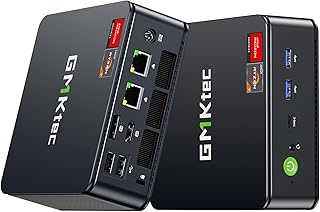
An expandable mini PC with dual multi-gig Ethernet and triple display output for office work or a small home server. The processor is entry level, and the spec table disagrees with the bullets on CPU and memory.
A palm-size, low-power PC for office work, media playback or a small home server, with two ultra high definition screens supported. Memory is fixed, and network details conflict within the listing.
A well connected mini PC with OCuLink for an external graphics card, dual multi-gig Ethernet and room to grow memory and storage. Integrated graphics handle light gaming, but serious gaming needs an eGPU.
A compact mini PC with an eight core Ryzen, generous memory and two multi-gig network ports, suited to office work, home servers and firewall builds. Integrated graphics handle light gaming only.
A small, low-power office and media box that drives two high-resolution screens and mounts behind a monitor. Memory is capped at the installed amount, so heavy multitasking will hit a ceiling.
A small, efficient mini PC that drives three monitors and handles office work, browsing and light creative apps. Graphics are integrated, and the spec sheet contradicts the memory type.
A powerful, network heavy mini PC for homelab, virtualization and workstation builds that you finish yourself. It ships without memory, storage or an operating system, so budget for parts and setup.
A tiny, quiet desktop for office work, schoolwork and streaming that can drive three high-resolution screens. The processor is an older chip, so heavy editing and gaming are beyond it.
A very powerful mini PC for creators and power users who want desktop-class memory and networking in a tiny box. Graphics are integrated, so it is not a substitute for a dedicated graphics card.
A tiny, low power mini PC for office work, browsing and video streaming on two screens. The entry level chip is not for gaming, and the operating system is not stated.
A small but fast mini PC for office work, light editing and esports games across three monitors, with dual Ethernet for homelab use. Memory is soldered at its stated size, so plan needs around that from day one.
A compact, upgradable mini PC for office work, media and light gaming, with a built-in power supply and dual displays. Integrated graphics limit heavy gaming, and the operating system is not named.
A silent, pocket-size PC for offices, signage and home theaters that need dependable light computing around the clock. The low-power chip limits heavy work, and the listing is unclear on memory upgrades.
A small, simple mini PC for office work, streaming and a home media hub, driving two ultra HD screens. The processor is an older design and the spec table has errors, so expect light duty only.
A tiny office and signage PC with room to grow memory, three display outputs and a long warranty. It is built for browser, cloud and office work, not local AI models or gaming.
These 3 mini desktop computers have the highest ProductDome scores among the established products in this category, meaning ones with a large volume of owner ratings and strong evidence; on a tie, the product with more rating evidence ranks first. The score combines owner satisfaction, rating volume, demand and data quality from public Amazon listings (updated 3 days ago). We do not test products ourselves.
What are the most popular mini desktop computers brands?
Beelink, GMKtec, Dell, MINISFORUM, KAMRUI lead this category among the 15 brands that passed our curation checks.
How does ProductDome pick these mini desktop computers?
A listing appears only when it has a recorded price, a minimum customer rating, and enough ratings or monthly sales. Generic and unbranded listings are left out, while every real brand stays, including brands sold only on Amazon. The ones that pass are ordered by the ProductDome score, which weighs owner satisfaction, rating volume, demand and data quality.
About mini desktop computers
Mini desktop computers come as ready-to-run systems and barebones units that need components added before use, so the initial choice affects how much assembly and setup you take on. Unlike All-in-Ones, they generally leave the screen separate, so allow for a monitor, keyboard and mouse. Start with the work the computer must handle: documents and browsing, several applications open together, or demanding creative software and games.
For that workload decision, look at installed memory alongside the exact processor model. Among the 39 products that list ram memory installed, most fall between 8 and 32 gb, and 16 gb is typical. Compare the supplied memory with the requirements of your everyday applications, allowing for those you run together. More memory can help when applications compete for space, but it cannot compensate for a processor unsuited to the task. Processor clock speed alone is a poor comparison between different processor families; advertised maximum speeds also depend on cooling, power limits and the workload. For games or creative applications, compare the exact graphics hardware with the software's requirements, since a compact case may leave no practical route to a graphics upgrade.
Storage and networking affect how comfortably the computer fits your routine. Size the included drive around locally stored applications, photos and project files, leaving room for downloads and updates. If you expect that collection to grow, look for a documented spare drive slot or bay and its supported drive format; adding storage may otherwise mean replacing the existing drive. For a desk served by a wired network, confirm a suitable wired network port. For wireless use, establish whether wireless hardware is built in or requires an adapter, and whether that adapter is supplied or sold separately.
Before buying, map each monitor to a supported video output and confirm simultaneous display support at your intended resolution and refresh rate. Compare case dimensions and ventilation clearances with the intended shelf or monitor mounting position, and establish whether mounting hardware is supplied or sold separately. The package description should identify the included memory, storage, operating system and power supply, especially for barebones configurations where missing components add setup work. If future memory upgrades matter, consult the manual for accessible slots, supported modules and whether existing modules must be replaced. For ongoing upkeep, follow the manual's guidance on permitted vent cleaning and whether opening the case is required.
How we list products: every listing here has a recorded price, a minimum customer rating and enough ratings or monthly sales. Generic and unbranded listings are left out; every real brand stays, including brands sold only on Amazon. Products are ordered by the same ProductDome score on every page.Editorial policy
Cookie settings
We use necessary cookies to keep the site working. Page views are counted without cookies. With your permission, we also use functional and marketing cookies. Cookie Policy.

 Best Overall