
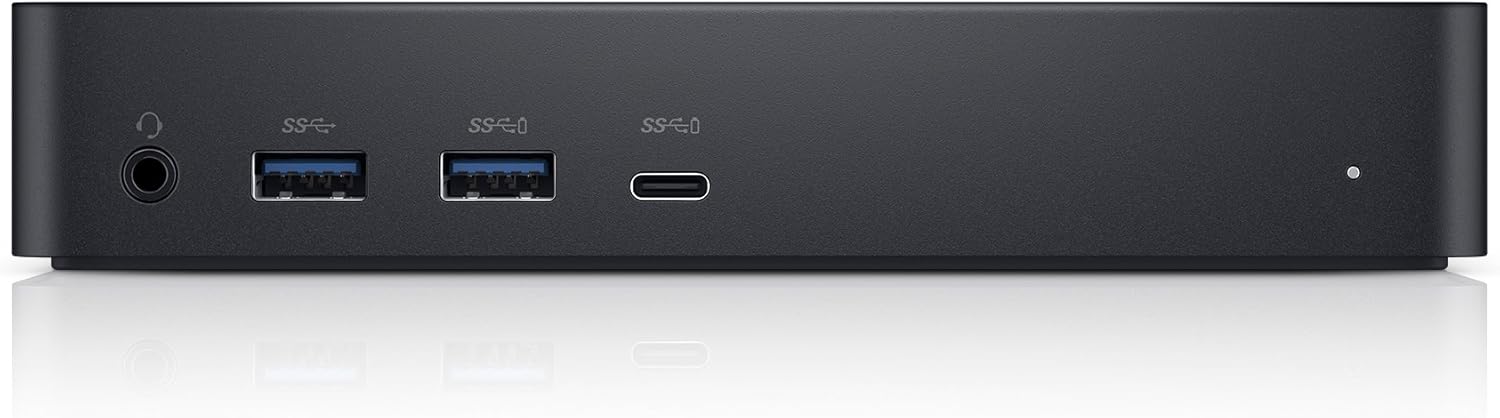
Dell D6000 Universal Dock
- USB-C or USB 3.0 laptops, a wide range of PC brands
- Up to 3 displays, two at 3840 x 2160 60Hz plus one at 30Hz
- 5120 x 2880 at 60Hz on one screen, dual DP required
- DisplayLink technology drives the video outputs
- 5 USB ports
- 130 watts listed wattage, 19.5V DC input
- 1 year limited hardware warranty
Updated 25 days ago · Based on the Amazon listing and published specifications, not hands-on testing.
A Dell universal dock that adds multiple Ultra HD monitors and USB ports to a wide range of USB-C and older USB laptops. Laptop charging is not stated, so plan on using the laptop's own charger.
As an Amazon Associate I earn from qualifying purchases. ProductDome earns a commission when you buy through links on this page.
ASIN: B071YTQBXMModel: D6000Category: Laptop Docking Stations
Overview
Dell built this universal dock to connect a laptop through USB-C or an older USB port and spread its output across external monitors and USB devices. Video runs through DisplayLink technology, so it works with a range of PC brands and operating systems as described.
Multi-monitor Ultra HD output over a single laptop cable is the reason to buy, and DisplayLink lets one dock serve USB-C and older USB laptops from different makers. The highest resolution mode ties up both DisplayPort outputs, and the third screen drops to a lower refresh rate.
Who it's for
Hot desks and home offices that switch between laptops from different makers get one dock for monitors and USB devices. Anyone who needs full refresh rate on every screen should note the third display runs slower.
Pros and cons
- Works over USB-C or older USB
- Multi-monitor support through DisplayLink
- High resolution single display mode
- Mix of DisplayPort and HDMI outputs
- Laptop charging capability not stated
- Third display limited to a lower refresh rate
- Top resolution mode needs dual DisplayPort
- Video depends on DisplayLink support on the laptop
Performance notes
Video is sent through DisplayLink over the USB link, so smoothness depends on the laptop's processing load and the bandwidth of that connection. Adding a third Ultra HD screen lowers its refresh rate, and the top resolution mode uses both DisplayPort outputs for one monitor.
Specifications
| Brand | Dell |
|---|---|
| Model | D6000 |
| Dimensions & fit | |
| Item weight | 0.84 pounds |
| Item dimensions l x W x h | 3.1 × 6.6 × 1.2 inches |
| Capacity & performance | |
| Wattage | 130 watts |
| Video outputs | DisplayPort, HDMI |
| Power & efficiency | |
| Input voltage | 19.5 volts |
| Construction & materials | |
| Color | Black |
| Compatibility & installation | |
| Hardware interface | USB 3.0 |
| Compatible devices | Dell, USB C Laptops, Windows 7 |
| Warranty & support | |
| Warranty description | 1 year |
| Other details | |
| Max displays | 3 |
| Total USB ports | 5 |
| Host connection | USB-C Or USB 3.0 |
| Display technology | DisplayLink |
| Dual display | 3840 x 2160 at 60Hz (DP) + 3840 x 2160 at 60Hz (DP/HDMI) |
| Single display | 5120 x 2880 at 60Hz (dual DP required) |
| Triple display | 3840 x 2160 at 60Hz (DP) + 3840 x 2160 at 60Hz (DP/HDMI) + 3840 x 2160 at 30Hz (DP/HDMI) |
Frequently asked questions
How do I move the Dell D6000 between laptops?
It connects over USB-C or USB 3.0, so switching laptops means moving that one cable. Video runs through DisplayLink technology, so check that each laptop you plan to use is set up for DisplayLink.
Can the Dell D6000 run a 5K monitor over HDMI?
The 5120 x 2880 at 60Hz single display mode requires dual DisplayPort connections. HDMI is listed only for the second and third 3840 x 2160 displays.
Is the Dell D6000 only for Dell laptops?
No. It is described as a universal dock for any laptop with USB-C or USB 3.0, across a wide range of PC brands and operating systems.