


ELECOM Relacon Handheld Trackball Mouse 2.4GHz Wireless M-RT1DRBK
- 10-button thumb-operated trackball
- DPI switchable, 500, 1000 and 1500 dpi
- 2.4GHz wireless, 10 meter range
- Left or right hand, 2 AAA batteries included
- Windows 7 to 10 and macOS 10.14
- 2.7 ounces, 1 year manufacturer warranty
Last refreshed Oct 2, 2026 · Based on the Amazon listing and published specifications, not hands-on testing.
A handheld wireless trackball with ten buttons and switchable resolution, controlled with the thumb. It needs a receiver and batteries, and works with Windows and recent macOS.
As an Amazon Associate I earn from qualifying purchases. ProductDome earns a commission when you buy through links on this page.
ASIN: B07ZKL66GYModel: M-RT1DRBKCategory: Trackballs
Overview
Held in the palm rather than slid across a desk, this Elecom Relacon uses a thumb ball to move the cursor. Ruby ball bearings support the ball, and a hole in the base lets you pop it out for cleaning. A wireless receiver and batteries are included.
Handheld use and a ten button layout are the reason to choose it for couch or standing-desk work without a mouse pad. The limit is learning the thumb control, and the battery needs periodic replacement.
Who it's for
Users with wrist strain or no desk space will use the thumb control. Gamers needing wired latency or a palm-sized mouse shape should look at standard mice.
Pros and cons
- Thumb-controlled handheld design
- Ten buttons with DPI switching
- Left or right hand use
- Easy to remove and clean ball
- Thumb control has a learning curve
- Receiver uses a USB port
Performance notes
A sensor reads the ball movement, and ruby bearings reduce friction so the ball glides. The three resolution settings change how far the cursor moves per roll. Cleaning the ball and bearing area helps tracking stay smooth over time.
Specifications
| Brand | エレコム(ELECOM) |
|---|---|
| Model | M-RT1DRBK |
| Dimensions & fit | |
| Item Dimensions L x W | 1.61"L x 4.41"W |
| Hand Orientation | Left, Right |
| Item weight | 2.7 ounces |
| Capacity & performance | |
| Range | 10.0 meters |
| Power & efficiency | |
| Power Source | Battery Powered |
| Construction & materials | |
| Color | Black & Red ball |
| Compatibility & installation | |
| Connectivity Technology | USB, 2.4GHz wireless |
| Warranty & support | |
| Warranty Description | 1 year manufacturer |
| Other details | |
| Number of Batteries | 2 AAA batteries required (included) |
| Button Quantity | 10 |
| Movement Detection | Trackball |
| Hardware Platform | PC, Mac |
| Mouse Maximum Sensitivity | 1500 dots per inch |
| DPI settings | 500/1000/1500 |
Closest rivals on specs
 Nulea M501 Wireless Trackball Mouse Ergonomic Thumb Control
- Item Weight 0.17 vs 0.28 pounds (-39%)
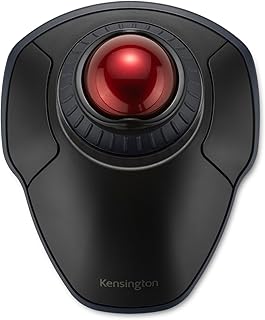 Kensington Orbit Wireless Trackball with Scroll Ring
- Item Weight 0.17 vs 0.35 pounds (-51%)
 Kensington Orbit Trackball Mouse with Scroll Ring
- Item Weight 0.17 vs 0.35 pounds (-51%)
Frequently asked questions
How do I install the Elecom Relacon?
Insert the 2 AAA batteries included and plug the wireless receiver into a USB port. The description lists Windows 7, 8.1, RT 8.1, 10 or later and macOS 10.14 or later.
Is the Relacon good for left-handed users?
Yes. The listing says left and right hand use.
How do I clean the ball?
The description says the ball can be popped out by pushing it through the hole in the bottom, and it can be easily cleaned.