
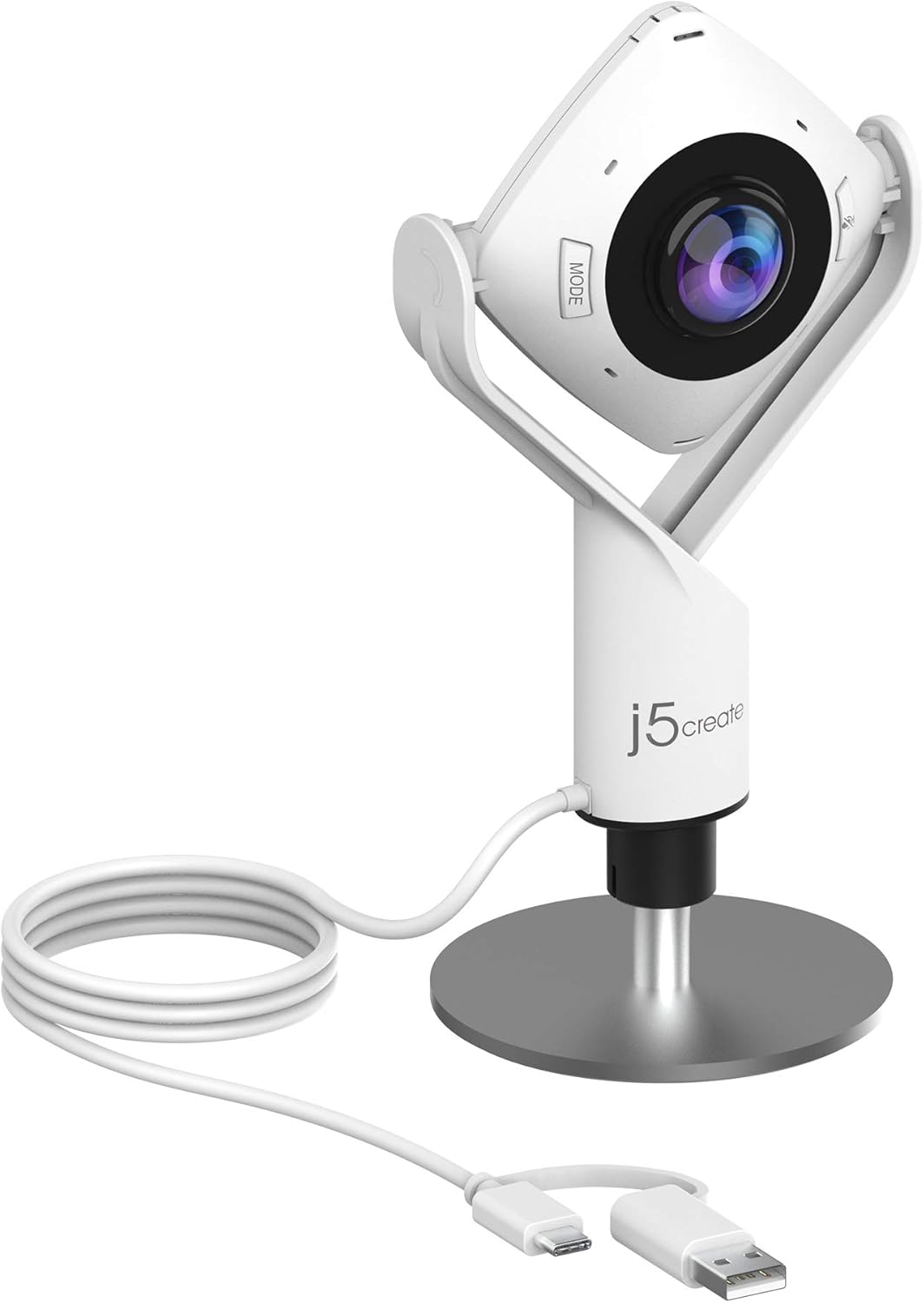
j5create JVCU360 360 Degree Meeting Webcam
- 360 degree all around video with omnidirectional mic
- 1080p at 30 Hz video
- Six display modes, including host, dual host and wide angle
- 2 MP CMOS sensor, fixed focus, f/2
- 2x digital zoom, no image stabilization
- USB UVC/UAC plug and play, USB-C
- 2 year manufacturer warranty
Updated 25 days ago · Based on the Amazon listing and published specifications, not hands-on testing.
A tidy way to put every person at a meeting table on screen from one device, with a built-in mic and app support across the major platforms. Image detail is limited by the full HD sensor spread across a full circle.
As an Amazon Associate I earn from qualifying purchases. ProductDome earns a commission when you buy through links on this page.
ASIN: B08MYZWX87Model: JVCU360Category: Webcams
Overview
Placing one camera in the middle of a meeting table, this all around webcam captures the whole room with a built-in omnidirectional microphone. It connects over USB as a standard plug and play camera, and a touch bar marks where participants sit.
Small teams in a huddle room get every face on the call without aiming a camera or passing a laptop around. Because one full HD frame covers the full circle, each person appears small and soft at the far end of a large table.
Who it's for
Huddle rooms, classrooms and small offices running Teams, Zoom or Meet calls are where it shines. People recording themselves at a desk, or large boardrooms, will want a front-facing camera with more detail.
Pros and cons
- Captures the whole table at once
- Built-in omnidirectional microphone
- Six layout modes
- Works with major meeting apps
- Full HD spread over full circle
- Fixed focus lens
- No image stabilization
- Firmware update may be needed first
Performance notes
Coverage comes from a single wide view stitched across the full circle, so detail per person drops as the table grows. The touch bar tells the camera where speakers sit, which sets the host and dual host layouts. Automatic exposure handles mixed light, but a window behind one seat can still darken that face.
Specifications
| Brand | j5create |
|---|---|
| Model | JVCU360 |
| Dimensions & fit | |
| Item Dimensions D x W x H | 1.46 x 3.68 x 7.6 in |
| Construction & materials | |
| Color | White |
| Compatibility & installation | |
| Connectivity Technology | USB, USB-C, UVC/UAC |
| Software compatibility | Skype, Microsoft Teams, Google Meet, Cisco, Zoom, BlueJeans, Amazon Chime, GoToMeeting, Slack |
| Warranty & support | |
| Warranty Description | 2 year manufacturer |
| Other details | |
| Focus Type | Fixed Focus |
| Viewing Angle | 360 degrees |
| Maximum Aperture | f/2 |
| Image stabilization | No |
| Exposure Control Type | Automatic |
| Zoom Type | Digital |
| Shooting Modes | Full screen, full view, host, dual host, single view, wide-angle view |
| Digital zoom | 2x |
| Photo sensor resolution | 2 MP |
| Photo Sensor Technology | CMOS |
| Video Capture Resolution | 1080p at 30 Hz |
| Microphone | Built-in omnidirectional |
Frequently asked questions
Does the j5create JVCU360 work with Zoom and Microsoft Teams?
Yes. The listing names Skype, Microsoft Teams, Google Meet, Cisco, Zoom, BlueJeans, Amazon Chime, GoToMeeting and Slack. App permissions may need to be authorized before the camera appears.
Do I need drivers for the j5create 360 webcam?
It is USB UVC/UAC plug and play, so no driver is listed. A firmware upgrade to the latest version may be required to get full functionality and resolution.
Does the JVCU360 have a microphone?
Yes. A built-in omnidirectional microphone is listed.
Is the j5create JVCU360 a 4K camera?
No. It records 1080p at 30 Hz from a 2 MP sensor, spread across the whole 360 degree view.
Can the JVCU360 follow the person speaking?
The listing describes a touch bar to specify where participants sit and host or dual host modes. Automatic speaker tracking is not described.