As an Amazon Associate I earn from qualifying purchases. ProductDome earns a commission when you buy through links on this page.
Best Overall
Computer Cases
Antec Flux Pro Full-Tower E-ATX PC Case
A full tower E-ATX case that comes with six fans already installed and enough radiator support for a dual loop setup, at a price closer to mid range than premium.
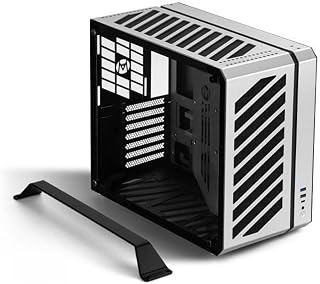
A tiny aluminum shell for a quiet desk or travel build, provided you accept a low-profile graphics card and a slim Flex power supply. Cooling headroom is tight, so hot processors are a poor match.
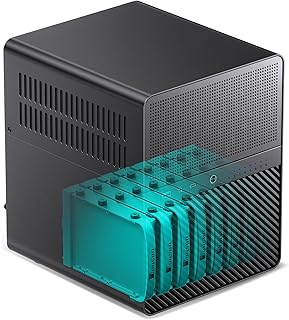
A strong home NAS shell for anyone filling many large drives around a small board, with fans already fitted. Board support stops at Mini ITX and expansion is tight, so plan the build around that.
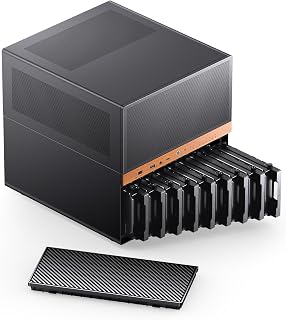
A storage-first case for home server builders who want many swappable drives and still have space for a graphics card. Weight and fan sizes are not listed.
A compact enclosure for a home NAS built on a small board with several drives. Confirm the drive size the bays accept, since the listing names only the smaller form factor.
A sensible airflow-focused mid tower for a fan cooled or liquid cooled build. The listing is sparse, so ask the maker about board support and card length first.
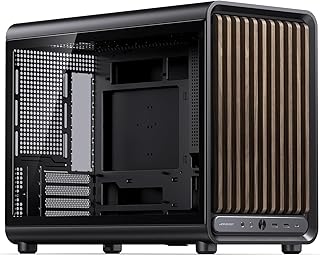
A Micro ATX case with a wood grain front, tempered glass and room for a long GPU and big cooler. It skips full ATX boards, and fans are optional extras.
A compact Micro ATX case for builders who want a full fan set out of the box and room for a large top radiator. Graphics card clearance and slot count are not listed.
A white showcase tower that arrives with a full set of mirror ARGB fans and room for long graphics cards and a top radiator. The fans are the only cooling included, so a liquid cooler is a separate purchase.
A glass-walled dual-chamber case that arrives with a full fan set and controller, ready for back-connect boards and a large radiator. GPU length and cooler height limits are missing from the listing, so check those parts first.
A tidy, compact case for a budget micro-ATX gaming build with fans already installed. Radiator support is not listed, so liquid cooling builders should confirm fit first.
A large dual chamber showcase case with real wood accents and room for huge GPUs and multiple thick radiators. It ships with no fans, so budget for a full set before the build runs.
A compact micro-tower that fits long graphics cards and big radiators, with three fans and a clean cable layout. It does not take full ATX motherboards.
A roomy full tower with a mesh front, four fans and a built-in temperature display for large gaming builds. It is big and heavy, and the title lists the fan count two ways.
A roomy dual chamber showcase case that takes long graphics cards, two large radiators and back connect boards. The RGB hub controller is missing from the box, so lighting control needs a motherboard header or a separate hub.
A high-capacity tower for DIY NAS and workstation builders who need many drive bays and room for long cards. One included fan is light for a case full of drives, so plan on adding more.
A showpiece micro ATX case with pillarless curved glass and a temperature readout for builders who want their parts on display. Drive bays are limited, so storage heavy builds need NVMe.
A compact mesh micro ATX case that supports back-connect motherboards and long GPUs in a small footprint. Clearances shift between modes, so check cooler and PSU sizes against the mode you need.
A compact aluminum case with a carry handle that still fits full size motherboards, big GPUs and a large radiator. GPU clearance is quoted two ways, so measure before buying.
A simple, steel mid tower for a budget office or gaming build that still wants an optical drive bay. Cooling starts with one fan, and some ATX boards with side-facing SATA ports will not fit.
Antec, Jonsbo, Lian Li, darkFlash, Zalman lead this category among the 21 brands that passed our curation checks.
How does ProductDome pick these computer cases?
A listing appears only when it has a recorded price, a minimum customer rating, and enough ratings or monthly sales. Generic and unbranded listings are left out, while every real brand stays, including brands sold only on Amazon. The ones that pass are ordered by how many people search for that brand and model each month; review counts only break ties.
About computer cases
Computer cases come as enclosures for systems with separate motherboards, expansion cards and drives, or as housings built around a particular small computer board. Those designs use different mounting arrangements, so start with the hardware the case must accommodate. The case type filter includes Mid Tower, Mini-Tower and Raspberry Pi; use those labels to narrow your search, then rely on the listing’s explicit compatibility details to decide whether a case fits your build.
Make an inventory of your motherboard, power supply and internal drives before choosing the enclosure. Match the motherboard’s format and the power supply’s dimensions to the case’s supported specifications; for a board-specific enclosure, match the exact board version. Among the 19 products that list hard disk form factor, most fall between 2.5 and 3.5 inches, and 3.5 inches is typical.. For storage, compare each drive’s physical format with the available trays or brackets, and check how many suitable mounting positions remain in your planned configuration. A supported drive format does not tell you whether the case has enough bays for your existing drives plus a later addition.
Next, compare graphics card length, height and thickness with the case’s clearances, allowing for power connectors and their cables. Cooling hardware can change those clearances: a front radiator may occupy space needed by the graphics card or drive cage. For an air cooler, compare its height with the case’s stated limit; for liquid cooling, confirm radiator and fan clearance together at the intended mounting location. Look for an intake and exhaust path that stays unobstructed where the computer will sit. Compare the case’s external dimensions and panel removal direction with your available desk or cabinet space so maintenance will not require dismantling the surrounding setup.
Before buying, confirm that the case’s front ports have cables compatible with your motherboard’s internal connectors, or identify any adapter needed and whether it is supplied. The enclosure material filter includes Metal, Aluminum and Tempered Glass; inspect which panels or structural parts the description names. Establish whether fans, a fan controller, drive brackets and mounting screws are included or sold separately. For upkeep, check how dust filters come out and whether accessing them requires moving the assembled computer; if a glass panel needs replacement, confirm that a matching spare is available.
How we list products: every listing here has a recorded price, a minimum customer rating and enough ratings or monthly sales. Generic and unbranded listings are left out; every real brand stays, including brands sold only on Amazon. Products are ordered by monthly searches for their brand and model on every page.Editorial policy
Cookie settings
We use necessary cookies to keep the site working. Page views are counted without cookies. With your permission, we also use functional and marketing cookies. Cookie Policy.


 Best Overall