As an Amazon Associate I earn from qualifying purchases. ProductDome earns a commission when you buy through links on this page.
Best Overall
Gaming Mice
Razer Viper V4 Pro Wireless Gaming Mouse
An extremely light, high polling wireless mouse that reviewers call an upgrade mainly worth it if a buyer does not already own the previous Viper V4 Pro.
A genuinely portable wireless mouse that holds up for both gaming and daily use, at the cost of a slightly heavier body than a dedicated ultralight esports mouse.
A flexible tri-mode mouse for players who move between devices and want a symmetrical shape. Battery life and the true mouse weight are not clear from the listing.
A light symmetrical wireless mouse for players who switch between devices and want a strong sensor. Its button count is modest, and only the mouse itself appears under included components.
A small ambidextrous wireless mouse with several connection modes for gamers with smaller hands. The spec sheet leaves out weight and polling rate, two numbers that matter for this kind of mouse.
A right-handed wireless gaming mouse with several connection modes and programmable buttons for players who move between devices. The listing leaves out weight, sensor and polling details, so esports buyers should confirm them first.
An ambidextrous wireless mouse with seven buttons and three connection paths for players with medium to large hands. Sensor resolution is not in the specs, which matters for players who tune sensitivity closely.
A very light, fast-polling wireless mouse for right-handed PC players who want spare skates and grip tape in the box. The two maximum sensitivity figures in the listing disagree, a minor but real doubt.
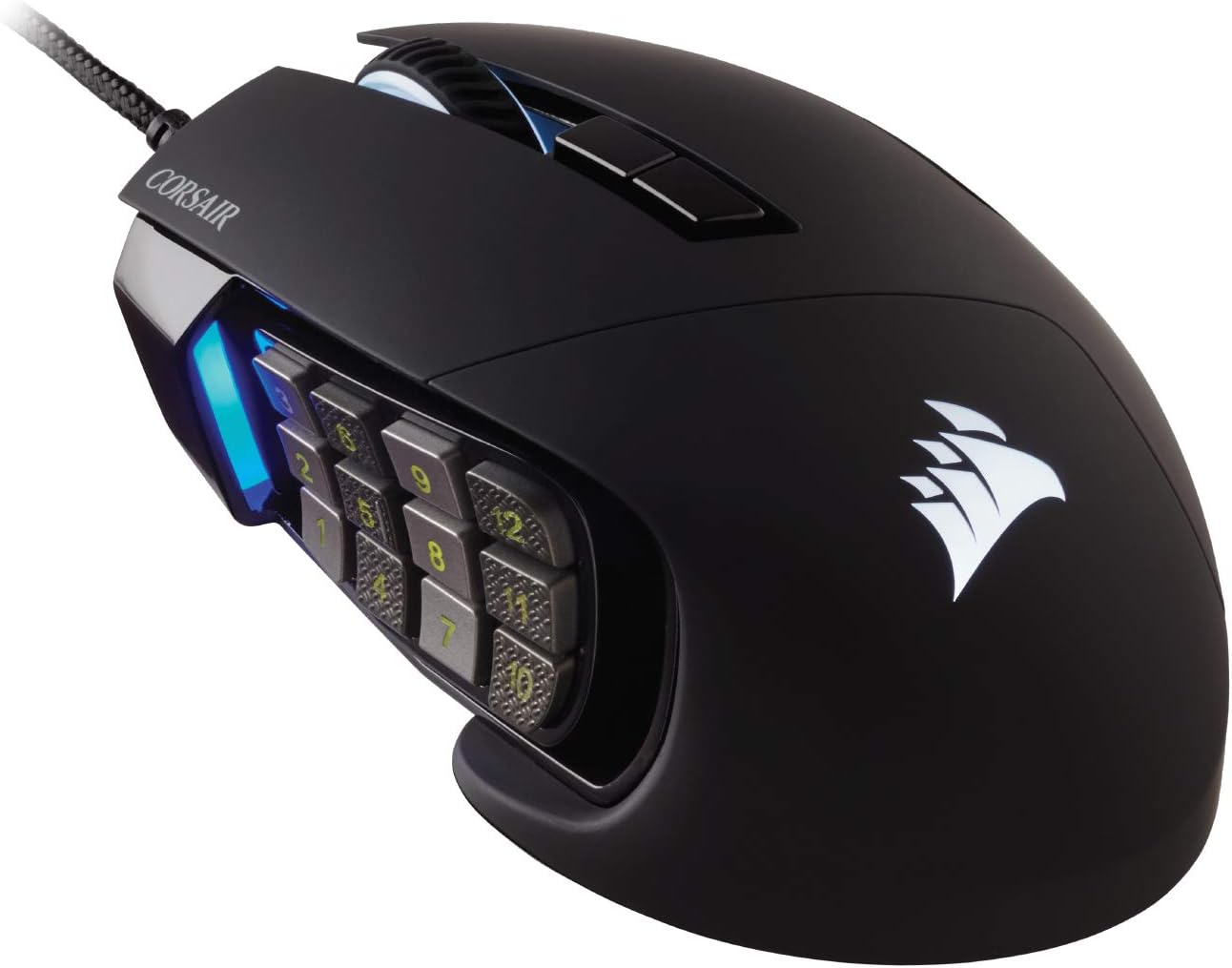
A wired MMO mouse for right-handed players who want a big bank of side buttons for skills and macros. Software, polling rate and sensor model are not listed.
A tri mode gaming mouse with a high resolution PAW sensor, long battery life and programmable buttons. The polling rate is listed two different ways, so check it if that figure decides your purchase.
A light ergonomic wireless mouse with a high-end sensor and very fast polling for competitive play. It is shaped for larger palms, and the box contents are barely described.
A light, fast wireless mouse for larger hands with optical switches and a coiled cable in the box. Battery life is not stated, and the max DPI differs between the bullets and specs.
Mouse Maximum Sensitivity
42,000 DPI per bullets, 40,000 DPI per specs, 50 DPI steps
A light, three-way connected gaming mouse for players who want a fast sensor and a strong shell. Battery hours and dimensions are not given, so grip fit is a guess.
A fast, flashy wireless gaming mouse with a top sensor and long battery life. Grip details beyond ambidextrous shape are thin, so try it first if hand size matters.
A flexible tri-mode mouse with real gaming features like a rapid-fire key and high DPI, best suited to Windows users who want the full software customization.
Logitech G PRO X2 Superstrike Wireless Gaming Mouse
Model: 910-007700
A specialist esports mouse with genuinely advanced sensor and switch tech, worth it mainly if you already play at a level where fractions of a second matter.
A lightweight, high polling rate mouse built for competitive play, with the fastest 8000Hz mode trading battery life for the lowest latency, and cosmetic Niko branding on top of otherwise standard DeathAdder V4 Pro hardware.
A capable wireless option for the hand shape it's built for, with genuinely long battery life, though the lower rating is worth checking against current buyer feedback before committing.
Razer, MCHOSE, ATTACK SHARK, GravaStar, Rapoo lead this category among the 20 brands that passed our curation checks.
How does ProductDome pick these gaming mice?
A listing appears only when it has a recorded price, a minimum customer rating, and enough ratings or monthly sales. Generic and unbranded listings are left out, while every real brand stays, including brands sold only on Amazon. The ones that pass are ordered by how many people search for that brand and model each month; review counts only break ties.
About gaming mice
Gaming mice come in wired, wireless and designs that support both: a wired connection avoids battery management, while wireless removes cable drag during broad aiming movements. Decide first how you want to connect during play. For a mouse that will stay at a gaming desk, weigh cable interference against the need to recharge or replace batteries; for switching between computers, look for a documented connection-switching method.
For wireless use, battery endurance matters most when charging would interrupt long sessions or when the mouse travels away from its charger. Among the 12 products that list battery average life, most fall between 63 and 704 hours, and 160 hours is typical. Advertised runtime depends on settings such as lighting, polling rate and connection mode, so compare the stated conditions with how you intend to play. If you expect to keep playing while a rechargeable mouse charges, confirm that it supports this and whether it communicates through the cable or still needs its wireless connection. For a replaceable-battery design, establish which battery it takes and whether carrying spares fits your routine.
Match the shell dimensions and shape to your hand and grip: resting your palm on the mouse needs different support from steering it mainly with your fingertips. Compare its length, width and rear hump with a mouse you already find comfortable, using side views to judge where the shell supports your hand. Weight is a separate handling choice: a lighter mouse takes less effort to lift and reposition during broad sweeps, so compare the stated mouse weight with what you currently use. For game commands, examine button positions against the actions you want under your thumb; the button quantity filter cannot tell you whether those controls are reachable without shifting your grip.
Before buying, confirm that the chosen connection works with your computer’s available ports and whether any required receiver or adapter is supplied or sold separately. A hardware platform label such as PC is not enough to confirm configuration support: check whether the software supports your operating system, permits your intended button assignments and needs to remain open for them to work. If you need settings to follow the mouse between computers, establish which settings its onboard memory retains. For upkeep, consult the cleaning instructions around the sensor opening and confirm whether replacement glide feet are available for the exact mouse model.
How we list products: every listing here has a recorded price, a minimum customer rating and enough ratings or monthly sales. Generic and unbranded listings are left out; every real brand stays, including brands sold only on Amazon. Products are ordered by monthly searches for their brand and model on every page.Editorial policy
Cookie settings
We use necessary cookies to keep the site working. Page views are counted without cookies. With your permission, we also use functional and marketing cookies. Cookie Policy.


 Best Overall