


Google Nest x Yale Keypad Deadbolt Smart Lock
- Lock Type: Deadbolt
- Connectivity Protocol: Wi-Fi
- Material Type: Nickel
- Shape: Oval
Last refreshed Sep 7, 2026 · Based on the Amazon listing and published specifications, not hands-on testing.
A capable smart deadbolt for phone-based control and guest access, provided the home has steady WiFi.
As an Amazon Associate I earn from qualifying purchases. ProductDome earns a commission when you buy through links on this page.
ASIN: B07BH6K3NTCategory: Deadbolts
Overview
The Google Nest x Yale Lock is a WiFi-connected keypad deadbolt in satin nickel that replaces an existing deadbolt and adds phone-based locking, guest passcodes, and tamper alerts through the Nest app.
The lock's remote features run through the Nest app rather than the keypad alone, so its usefulness depends on the home having a working internet and WiFi connection; Google's own materials note that notifications are a convenience, not a substitute for normal security habits. Privacy Mode is a distinct feature worth knowing about: it disables the keypad entirely so no passcode can open the door, useful when you specifically don't want code access active.
- Illuminated LED keypad with audible chimes
- Remote lock/unlock via the Nest app
- Privacy Mode disables passcode entry entirely
- Auto-lock when you're away from home
Who it's for
Good for a household that already has a Nest ecosystem or wants app-based control and passcode scheduling for guests. Not ideal for a home without reliable WiFi, since remote features depend on it.
Pros and cons
- Unlock remotely from the Nest app
- Unique, schedulable passcodes for guests
- Privacy Mode fully disables keypad access
- Tamper and lock-status alerts
- Remote features need working home WiFi and internet
- Notifications are convenience only, not a security guarantee
Performance notes
Access runs through an LED keypad with audible confirmation chimes for locking, unlocking, and Privacy Mode toggles. Remote control and notifications rely on the Nest app over the home's WiFi and internet connection; without that connection, the keypad and manual features still function but the phone-based controls do not. Auto-lock can relock the door automatically when you're away, and the lock also supports one-touch locking on the way out.
Specifications
| Brand | |
|---|---|
| Dimensions & fit | |
| Item Weight | 4 pounds |
| Item Dimensions | 4.5 × 2.6 × 0.8 inches |
| Construction & materials | |
| Material Type | Nickel |
| Finish Types | Oil Rubbed Bronze,Polished Brass |
| Color | Satin Nickel |
| Compatibility & installation | |
| Connectivity Protocol | Wi-Fi |
| Included components | |
| Number Of Pieces | 3 |
| Unit Count | 1 |
| Number Of Packs | 1 |
| Included Components | 4 AA Batteries, Installation Guide, Mounting Hardware, Nest Connect, Nest X Yale Lock |
| Other details | |
| Lock Type | Deadbolt |
| Shape | Oval |
| Control Type | Voice |
| Number Of Items | 1 |
| Additional Features | Alarm, Keyless |
| Style Name | Satin Nickel |
| Recommended Uses For Product | Door |
| Item Type Name | Smart Lock |
Closest rivals on specs
 Yale Assure Lock Touchscreen Deadbolt with Z-Wave
- Item Weight 4 vs 3.5 pounds (+14%)
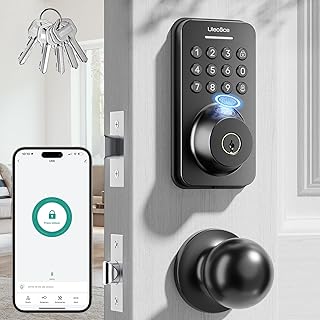 Ulecoce U68 Fingerprint Keypad Deadbolt with Knob Set
- Item Weight 4 vs 3.5 pounds (+14%)
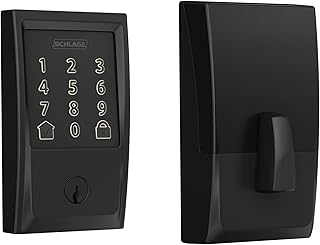 Schlage Encode Century Smart WiFi Deadbolt
- Item Weight 4 vs 3.4 pounds (+18%)
Frequently asked questions
Do I need internet access to use the Nest x Yale Lock's remote features?
Yes, locking and unlocking from the Nest app, plus notifications, require a working internet and WiFi connection at the home.
Can I give other people their own access codes?
Yes, you can issue unique passcodes to family or guests and set schedules for when each code works.
How do I install it?
It replaces an existing deadbolt and most people can swap it themselves, or a Nest Pro can install it for you.