As an Amazon Associate I earn from qualifying purchases. ProductDome earns a commission when you buy through links on this page.
Best Overall
Whole Home & Mesh Wi-Fi Systems
TP-Link Deco M5 Mesh WiFi System 3-Pack
A dependable three unit mesh for covering a large home with one network name and built-in security tools. It uses an older Wi-Fi generation, so newer devices will not reach their top speeds.
A dependable three unit mesh for covering a large home with one network name and built-in security tools. It uses an older Wi-Fi generation, so newer devices will not reach their top speeds.
A simple way to start a mesh network in a modest home, with room to add more Nest Wifi units later. It runs on the older Wi-Fi generation and lists a single port, so wired setups will feel limited.
A capable mesh kit for a large home with dozens of devices, with parental controls and antivirus included at no extra charge. It is dual band, so wireless backhaul shares airtime unless you run Ethernet between units.
A capable mesh kit for a large home with dozens of devices, with parental controls and antivirus included at no extra charge. It is dual band, so wireless backhaul shares airtime unless you run Ethernet between units.
A sound way to push an existing Deco mesh out to a yard or patio from one weather-facing unit. The listing gives no weather sealing spec or mounting details, so confirm those before you rely on it outdoors.
A sound way to push an existing Deco mesh out to a yard or patio from one weather-facing unit. The listing gives no weather sealing spec or mounting details, so confirm those before you rely on it outdoors.
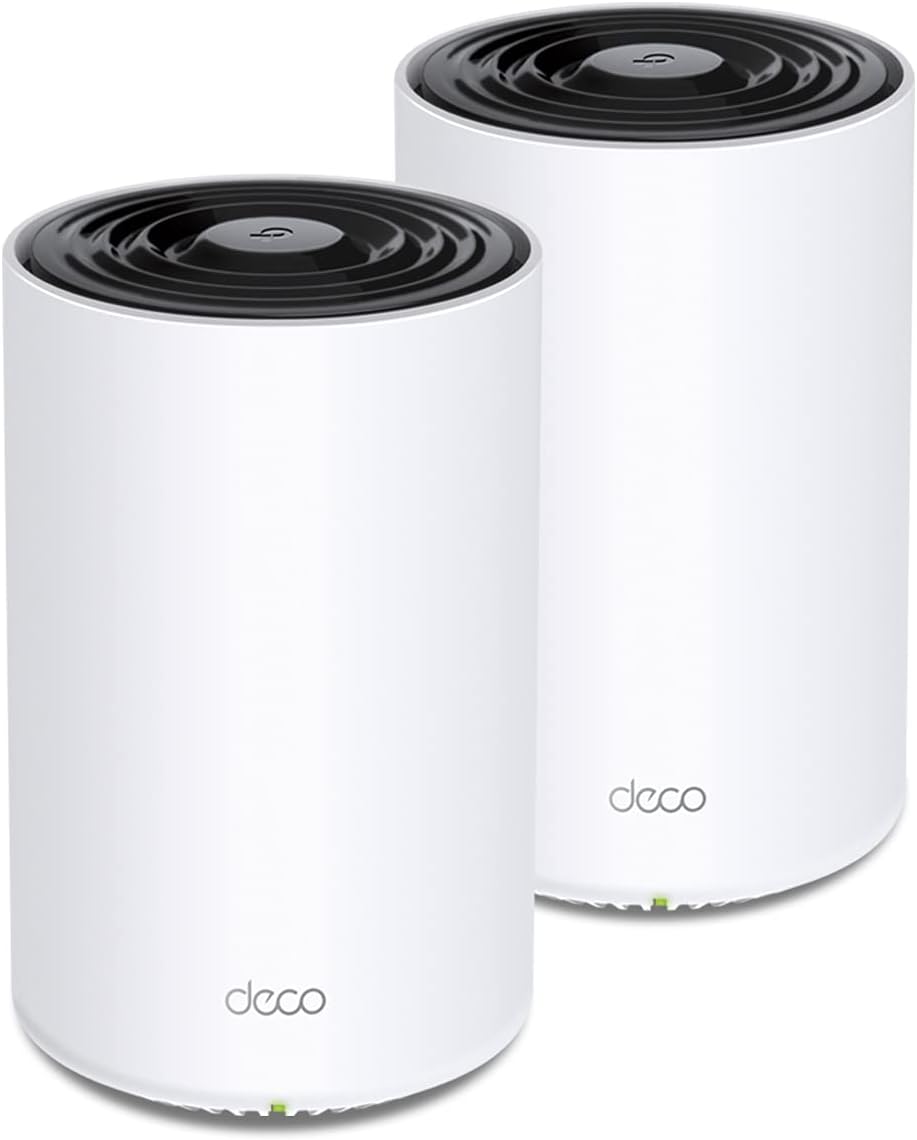
TP-Link Deco X68 Tri-Band WiFi 6 Mesh System 2-Pack
A capable two-unit mesh kit for spreading fast Wi-Fi across a large home with a dedicated link between units. The deeper HomeShield security features need a paid plan.
TP-Link Deco X68 Tri-Band WiFi 6 Mesh System 2-Pack
A capable two-unit mesh kit for spreading fast Wi-Fi across a large home with a dedicated link between units. The deeper HomeShield security features need a paid plan.
A single eero unit that can replace your router or join an existing eero mesh, with the newest Wi-Fi generation and multi-gig wired ports. It is dual-band only, and one unit covers a modest footprint.
A straightforward three node sixth generation WiFi mesh kit that blankets a large home and supports wired backhaul. It is dual band, so wireless node links share airtime with devices.
A straightforward three node sixth generation WiFi mesh kit that blankets a large home and supports wired backhaul. It is dual band, so wireless node links share airtime with devices.
A single WiFi six Deco unit that can run alone in a small home or add coverage to an existing Deco network. One unit alone is not a mesh, so larger homes need more.
These 10 whole home & mesh wi-fi systems have the highest ProductDome scores among the established products in this category, meaning ones with a large volume of owner ratings and strong evidence; on a tie, the product with more rating evidence ranks first. The score combines owner satisfaction, rating volume, demand and data quality from public Amazon listings (updated 3 days ago). We do not test products ourselves.
What are the most popular whole home & mesh wi-fi systems brands?
TP-Link, NETGEAR, Google, eero, Netgear lead this category among the 9 brands that passed our curation checks.
How does ProductDome pick these whole home & mesh wi-fi systems?
A listing appears only when it has a recorded price, a minimum customer rating, and enough ratings or monthly sales. Generic and unbranded listings are left out, while every real brand stays, including brands sold only on Amazon. The ones that pass are ordered by the ProductDome score, which weighs owner satisfaction, rating volume, demand and data quality.
About whole home & mesh wi-fi systems
Whole home Wi-Fi systems come as expandable router units, kits with several nodes, and add-on nodes that require a compatible system already in place. Use the number of packs filter to narrow the package choices, then inspect the contents to see whether you are getting a main router, additional nodes or both. Unlike modem router combos, mesh systems generally need a separate modem or another supported internet connection. Start by deciding whether the nodes will communicate wirelessly or through network cables, since that determines how you can extend service between rooms.
Wireless connections between nodes avoid cable runs, but walls, distance and competing traffic can reduce the capacity available to devices using a remote node. Cabled connections reduce dependence on wireless conditions, provided the system supports wired backhaul, the connection carrying traffic between nodes. Among the 28 products that list data transfer rate, most fall between 1,167 and 14,000 mbps, and 2,642 mbps is typical. Advertised transfer rates may combine capacity across wireless bands; actual download speeds depend on your internet service, connected devices and connections between nodes. For simultaneous streaming and large file transfers in different rooms, inspect whether the system dedicates a wireless band to communication between nodes or shares that capacity with connected devices.
Plan node placement around the rooms needing service and the walls or floors between them. A wireless node needs a usable connection to the rest of the system, so putting it inside an existing dead spot can leave that room poorly served. Advertised coverage depends on layout and construction; compare the manufacturer's placement guidance with the available locations in your home before deciding how many nodes you need. For guest access, parental controls or remote administration, inspect the specific functions offered and whether those you need require an account or subscription.
Before buying, confirm support for your internet provider's connection requirements. If retaining an existing gateway, check whether to put the mesh system in access point mode, leaving the gateway to manage routing, or put the gateway in bridge mode so the mesh system handles routing. The manuals should identify which features the chosen configuration disables. When using the number of ports filter, verify how the network ports on each unit can be used: a port used to connect toward the modem or main router may leave fewer available for wired equipment. Expansion requires explicit compatibility with your existing system, even when the brand matches. The listing should also state whether the required power adapters and network cables are supplied or sold separately.
How we list products: every listing here has a recorded price, a minimum customer rating and enough ratings or monthly sales. Generic and unbranded listings are left out; every real brand stays, including brands sold only on Amazon. Products are ordered by the same ProductDome score on every page.Editorial policy
Cookie settings
We use necessary cookies to keep the site working. Page views are counted without cookies. With your permission, we also use functional and marketing cookies. Cookie Policy.

 Best Overall